YARA: A Tool for Forensics and Malware Detection
YARA (Yet Another Recursive Acronym) is a powerful tool used in cybersecurity to detect and classify malware by creating rules to identify patterns in files, memory, or network traffic.
YARA is a tool aimed at (but not limited to) helping malware researchers to identify and classify malware samples. With YARA you can create descriptions of malware families (or whatever you want to describe) based on textual or binary patterns. Each description, a.k.a rule, consists of a set of strings and a boolean expression which determine its logic.
YARA is owned by Virustotal (yes the site we're not going to submit samples to, understood?) - recently YARA-X was released which is a faster and more user-friendly version of YARA - however, YARA-X can not scan running processes, only files.
NOTE: We're just briefly exploring YARA here - there are entire books written about YARA and its capabilities. For more in-depth information, please refer to the official YARA documentation. We will be using YARA in several labs throughout this course, for now just understand what it is and what it can do.
Key Features
- Pattern Matching: Scans for specific strings, hex sequences, or behaviors in files.
- Rules-Based: Allows defining conditions to identify malware traits.
- Versatility: Works on files, running processes, or memory dumps.
Applications
- Malware Detection: Identify known malware by their unique signatures.
- Incident Response: Scan systems for malicious artifacts during investigations.
- Threat Hunting: Monitor for emerging threats across files and traffic.
- Reverse Engineering: Assist in analyzing malware samples and libraries.
Why YARA Matters
- Highly customizable for different security needs.
- Essential for proactive threat detection and forensic investigations.
Some good Yara resources:
- YaraXGUI - A user-friendly GUI for YARA-X.
- Valhalla - A free YARA rule management and collaboration platform by Nextron Systems.
- Yaraify - An online YARA rule testing service.
- Yara-Repo - A collection of YARA rules for malware detection.
- YARA-based Cyber Threat Intelligence Tools
- yarGen - rule generator for yara
- THOR Lite
- THOR Lite Update
- Yara Forge - Streamlined public YARA rule collection
Here's a nice blogpost if you want to learn more about YARA and how to write your own rules: https://medium.com/@avfaulkner/intoduction-to-yara-loki-and-valhalla-for-threat-hunting-63038a0873e0
Another very cool project is Yara Toolkit, which allows you to write and verify yara rules, scan files with a yara rule and much more. You can read more on this blogpost https://blog.securitybreak.io/introducing-yara-toolkit-43dcab9caba1
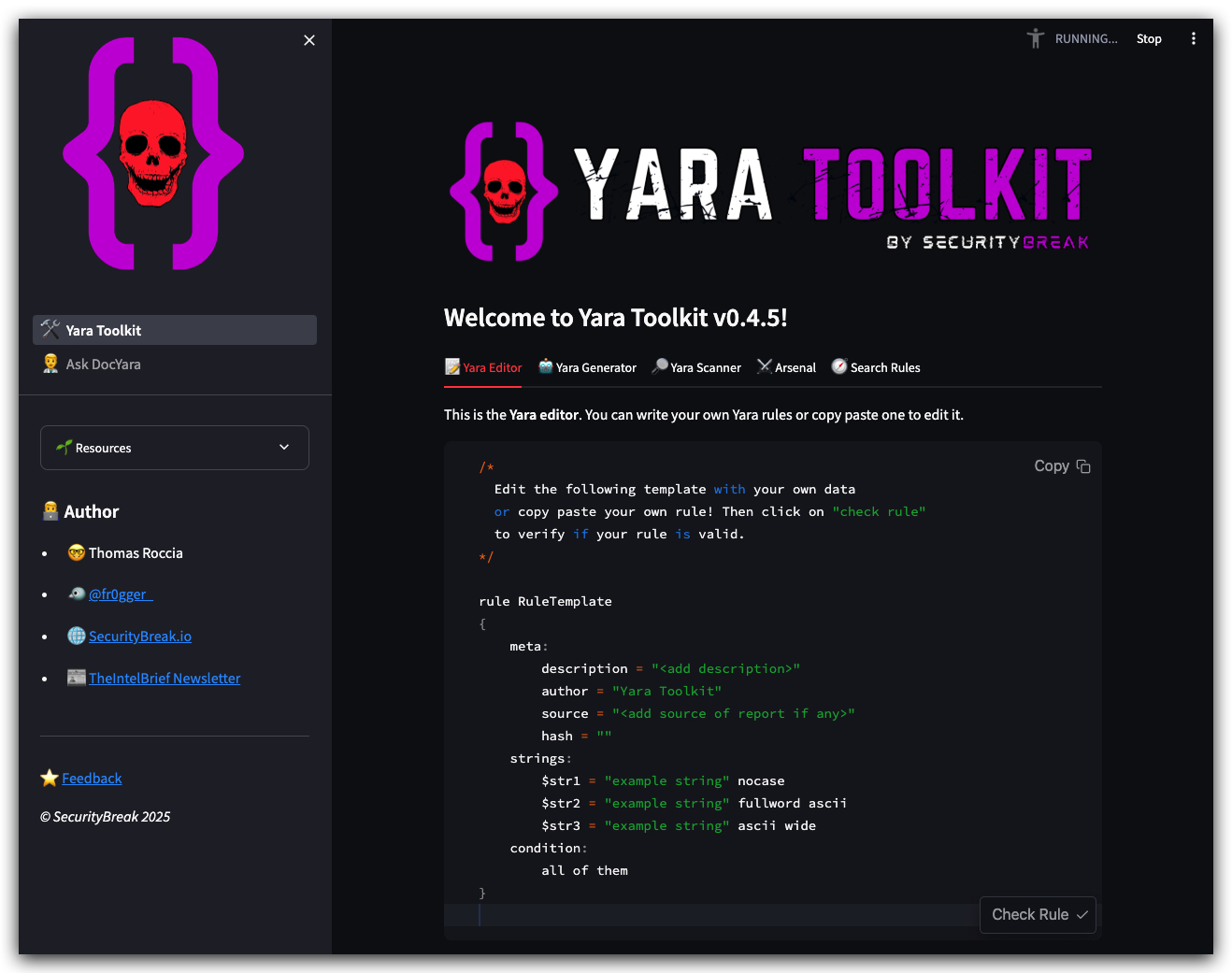
https://yaratoolkit.securitybreak.io/
MINI-LAB on YARA
We'll be using Visual Studio Code (VSCODE) for this lab, if you want you can install YARA support in VSCODE - to get syntax highlighting for YARA files.
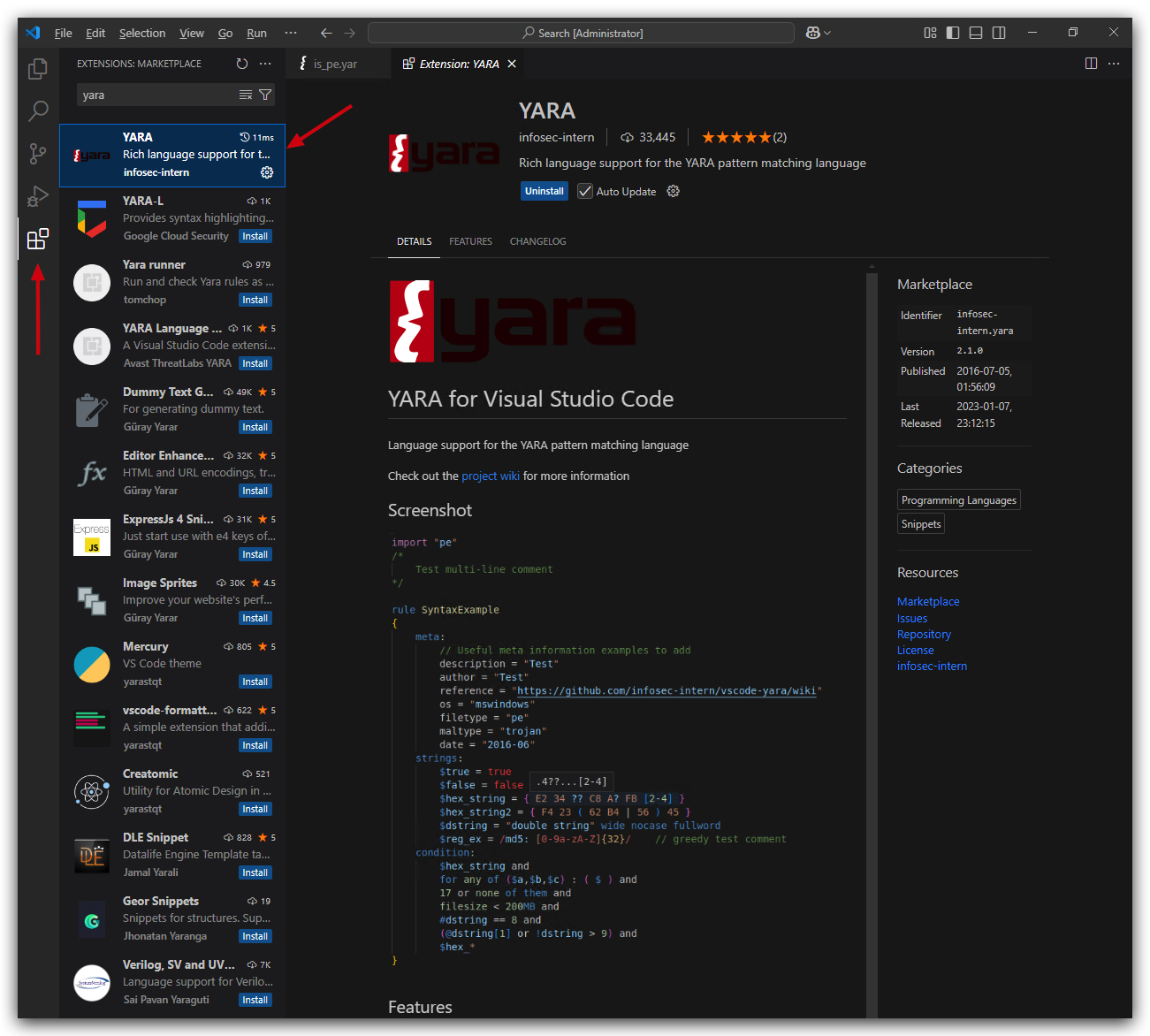
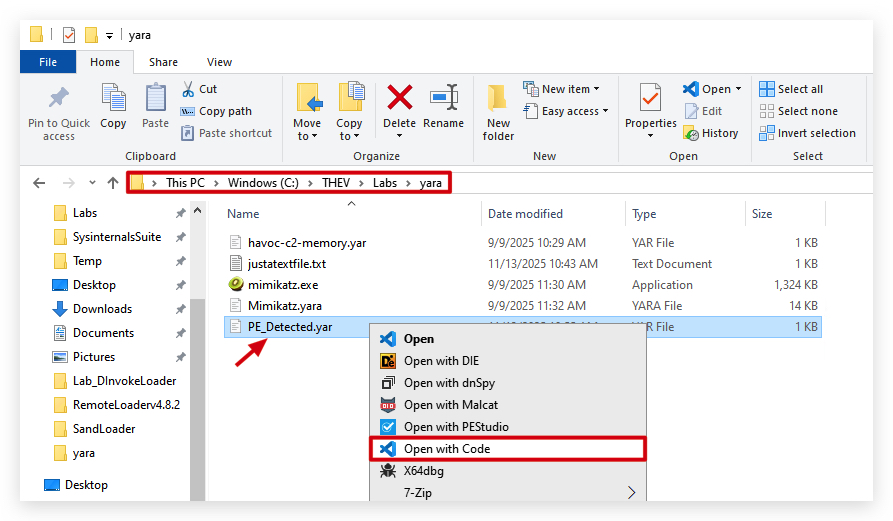
- Open the following YARA rule located in
C:\THEV\Labs\yara\PE_Detected.yarin VSCODE:
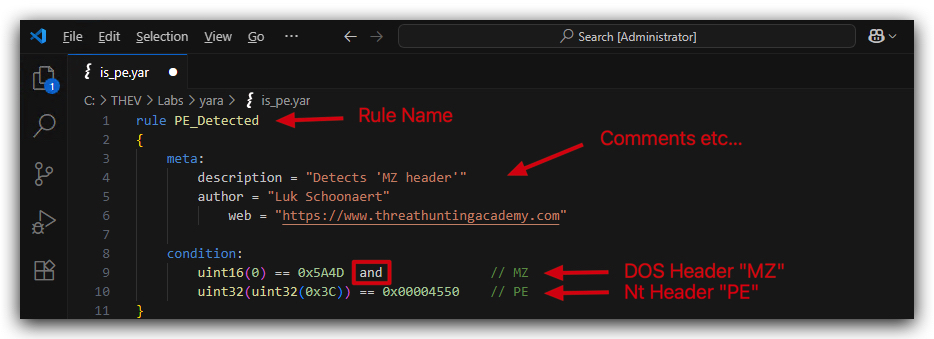
You will see that this rule is looking for the MZ header which is present in all Windows PE files (executables, DLLs, etc) as well as the PE file signature.
- Now open a
command promptand navigate toC:\THEV\Labs\yaraand run the following command to scan a target executable with the above YARA rule:
cd C:\THEV\Labs\Yara
yara64.exe PE_Detected.yar mimikatz.exe
We see here that the PE_Detected rule has triggered on mimikatz.exe:
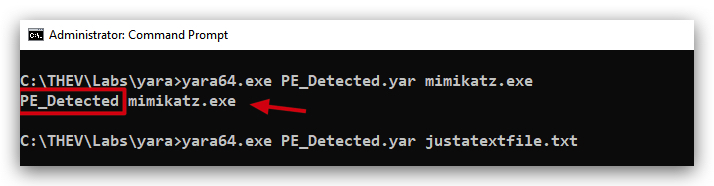
In the above screenshot you can also see that is we run the same rule against a non-PE file (a text file in this case) it does not trigger.
Let's open Mimikatz.exe in a 010 hex editor (you can use HxD or any other hex editor of your choice) and look at the first few bytes of the file:
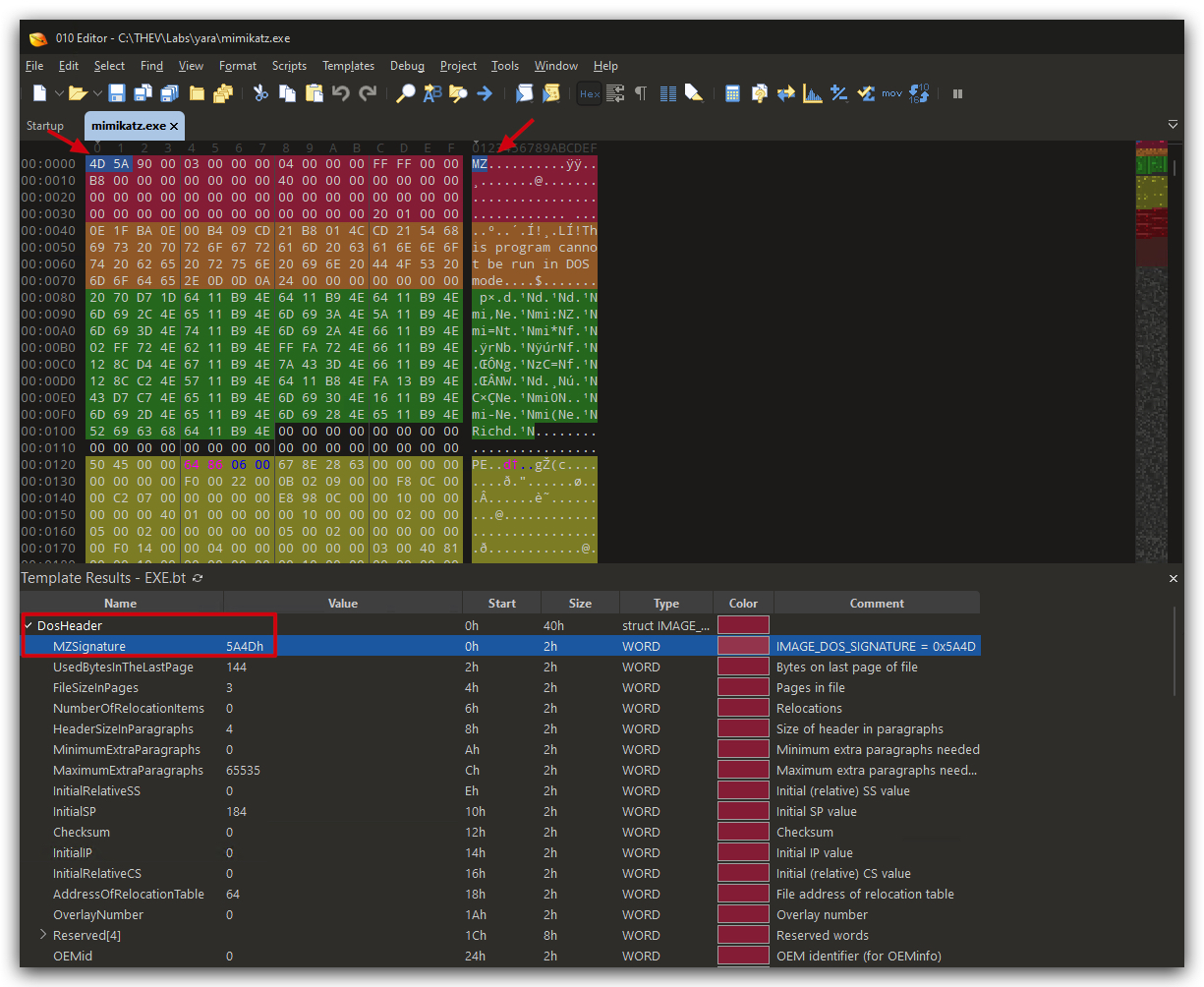
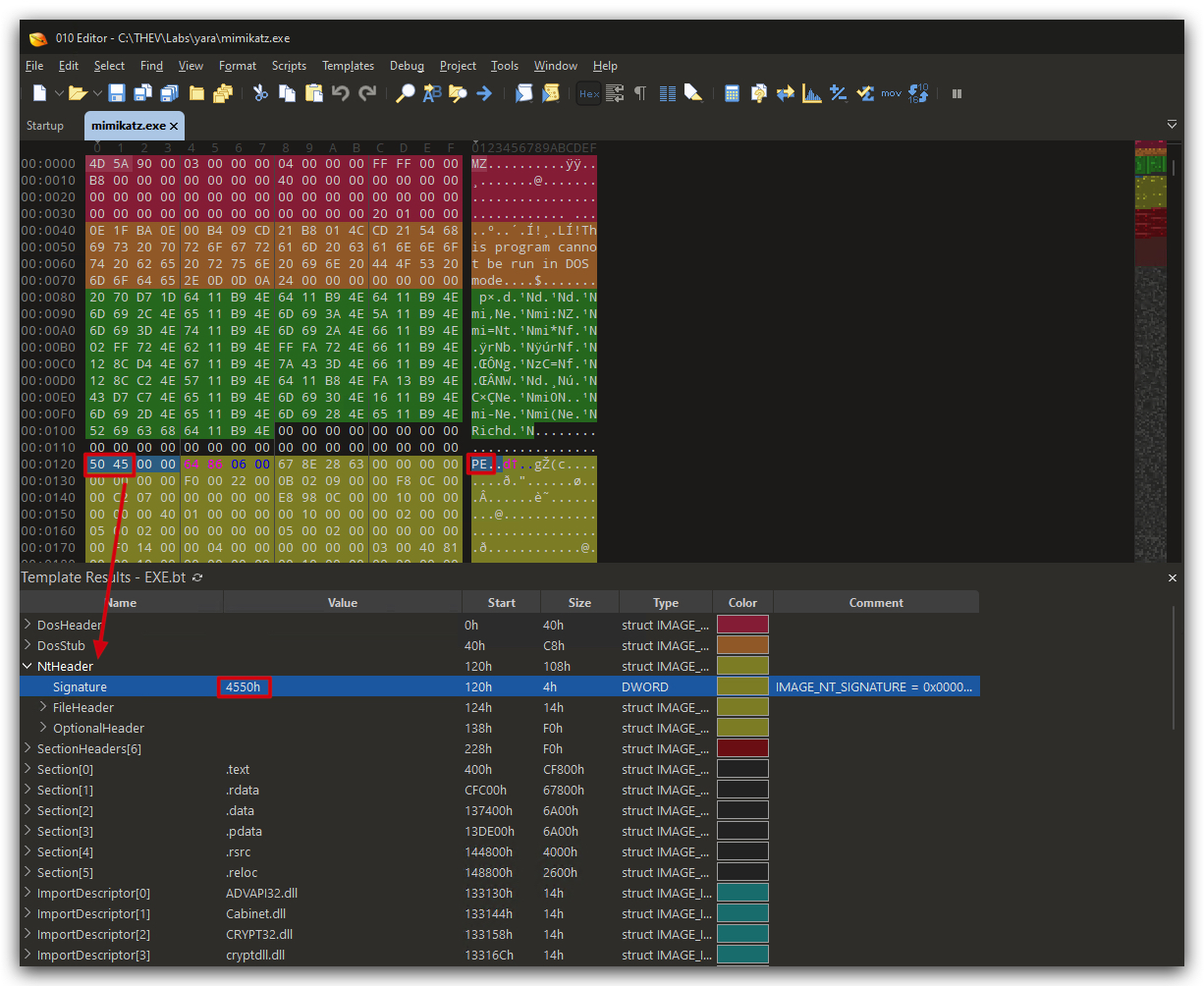
As you can see the first two bytes are 4D 5A which is MZ in ASCII, indicating that this is a PE file. A bit further down we can also see the PE signature (50 45 00 00).
We'll do a deep dive in the PE File format later in the course, for now just understand that YARA can be used to identify certain file types based on their headers and signatures. We can also create more complex rules to identify malware families based on unique strings or byte patterns - which we'll do next.
YARA-X GUI
NOTE: YaraXGUI can only scan files, not memory or processes - for that you need to use the command line version of YARA.
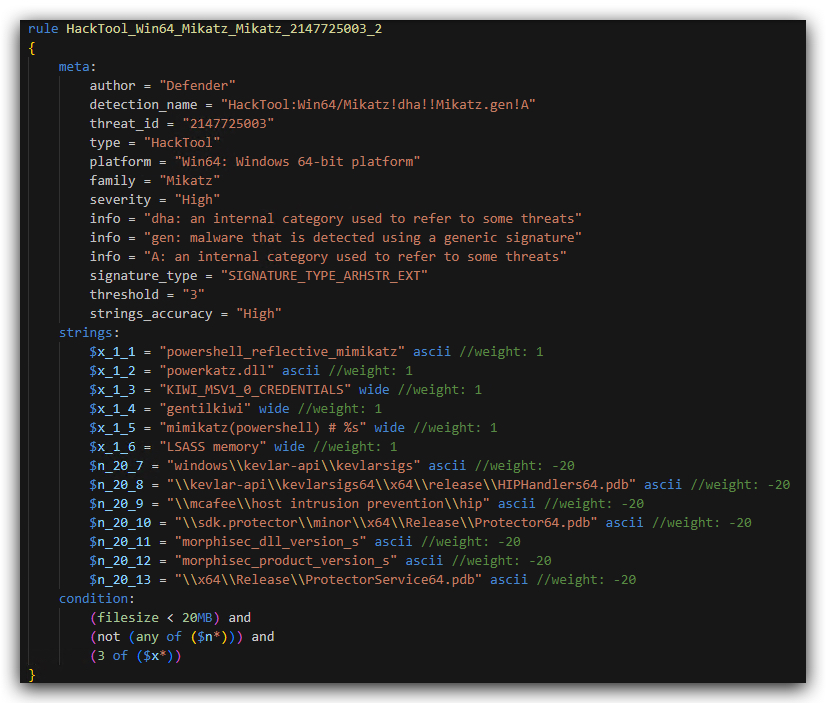
You can find the yara rule (which has multiple signatures for Mimikatz) in C:\THEV\Labs\Yara\mimikatz.yar. Below is an example of how Defender detects Mimikatz:
If we now use YaraXGUI (you can use the command line if you prefer) and scan mimikatz downloaded from its github repo, we see the following
- Open a command prompt and let's start YaraXGUI.
YaraXGUI.exe
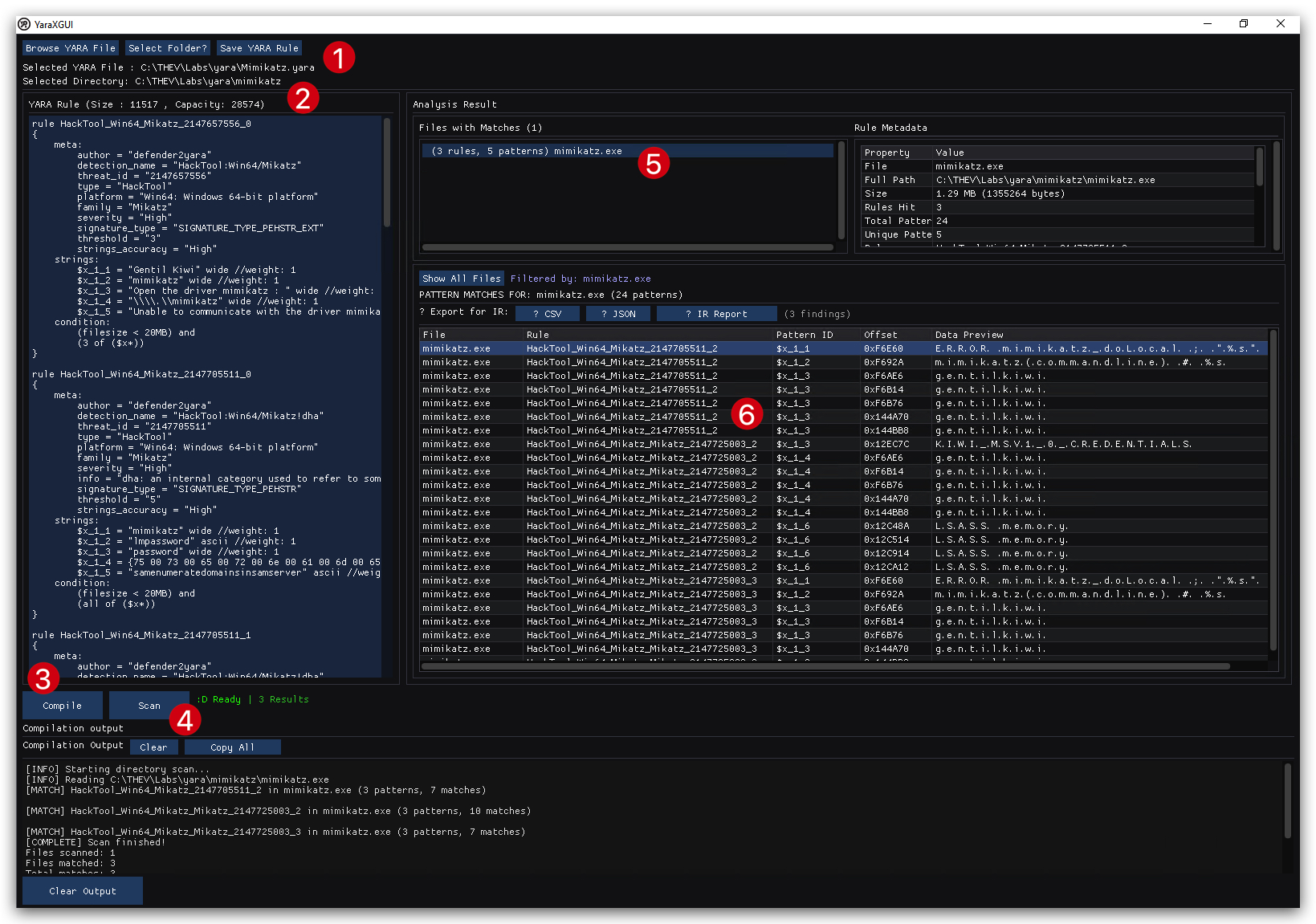
- (1) Click on
Browse YARA Fileand select themimikatz.yarfile located inC:\THEV\Labs\Yara\mimikatz.yar - (2) Click on
Select Folderand select theC:\THEV\Labs\Yara\mimikatzfolder (this will scan all files in the folder) - (3) Click on
compileto compile the yara rule - (4) Click on
Start Scan - (5) After the scan is complete you will see files that matched the yara rule in the top right pane, Click on a file to see which rules matched in the bottom right pane
- (6) You will see that multiple rules matched for mimikatz.exe
Detect Havoc C2 Payload in MEMORY
Let's create use YARA rule to detect the Havoc C2 framework in memory. Havoc is a popular open-source command and control (C2) framework used by red teams and adversaries for post-exploitation activities. We'll need to use yara64.exe for this lab as it supports scanning process memory.
The following blogpost goes into detail about the Havoc C2 framework and how to detect it using YARA (and as Havoc is open source, keep in mind that adversaries can also use these same techniques to evade detection!):
https://www.immersivelabs.com/resources/blog/havoc-c2-framework-a-defensive-operators-guide
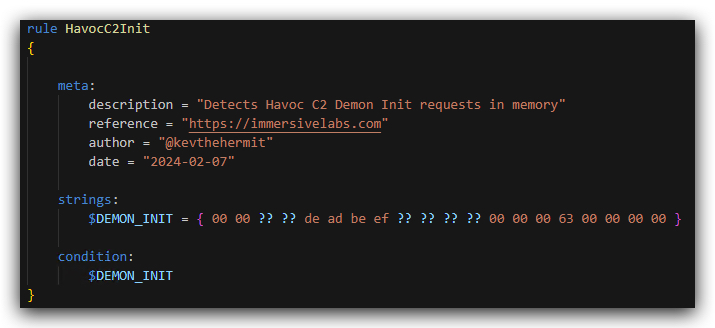
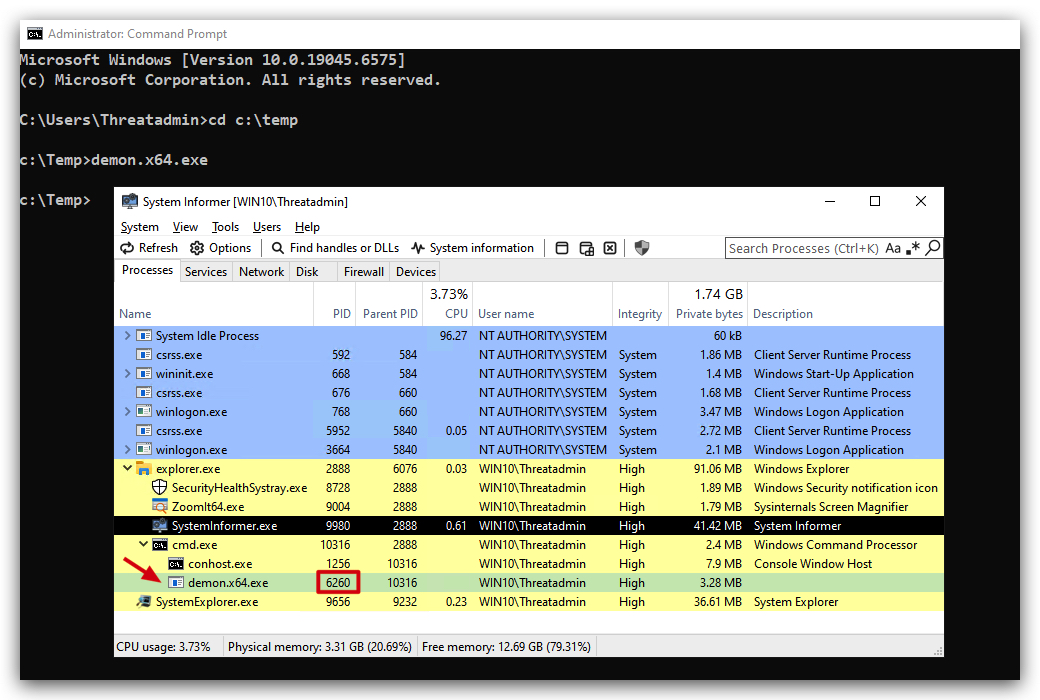
Let's Run a Havoc C2 agent on your Windows 10 machine, and then run the YARA rule against the process ID of the demon.x64.exe process (in this case 7188).
- Open a command prompt and navigate to
C:\temp, where we have downloaded thedemon.x64.exefile in one of the previous labs, and run it
cd c:\temp
demon.x64.exe
- Open System Informer or Task Manager to get the PID of
demon.x64.exe(in this case7188),you'll have to change this with the actual PID on your system .
- From the same
command prompt, run the YARA rule against the process memory ofdemon.x64.exe, use thePIDyou found in the previous step(this will be different on your system from the screenshot above and the command below) :
cd C:\THEV\Labs\Yara
yara64.exe havoc-c2-memory.yar 6260
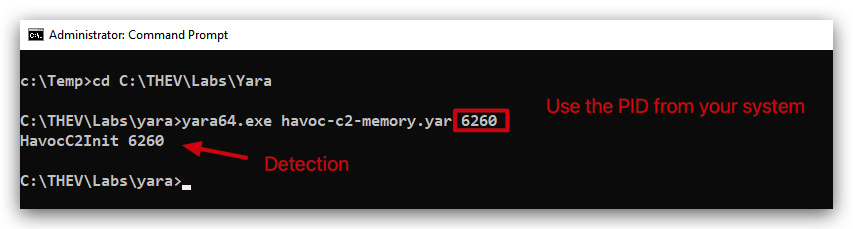
We can see here that the Havoc_C2_Agent_Memory rule has triggered on the demon.x64.exe process in memory.
TIP: You can actually use VELOCIRAPTOR to run a yara scan on certain files and processes!
CONCLUSION
YARA is an essential tool in the arsenal of cybersecurity professionals, enabling them to detect and classify malware effectively. Its versatility and powerful pattern-matching capabilities make it invaluable for malware detection, incident response, threat hunting, and reverse engineering. By mastering YARA, security practitioners can enhance their ability to protect systems and respond to threats proactively.