Detections & IOCS's SharpKatz and others...
1. SUMMARY : Credential Access via LSASS Memory (T1003.001)
Adversaries may attempt to access credential material stored in the process memory of the Local Security Authority Subsystem Service (LSASS). After a user logs on, the system generates and stores a variety of credential materials in LSASS process memory. These credential materials can be harvested by an administrative user or SYSTEM and used to conduct Lateral Movement - for example, by using the Pass-the-Hash or Pass-the-Ticket techniques. As well as in-memory techniques, the LSASS process memory can be dumped from the target host and analyzed on a local system.
The following SSPs can be used to access credentials:
- Msv: Interactive logons, batch logons, and service logons are done through the MSV authentication package.
- Wdigest: The Digest Authentication protocol is designed for use with Hypertext Transfer Protocol (HTTP) and Simple Authentication Security Layer (SASL) exchanges.
- Kerberos: Preferred for mutual client-server domain authentication in Windows 2000 and later.
- CredSSP: Provides SSO and Network Level Authentication for Remote Desktop Services.
1.1 MITRE ATT&CK
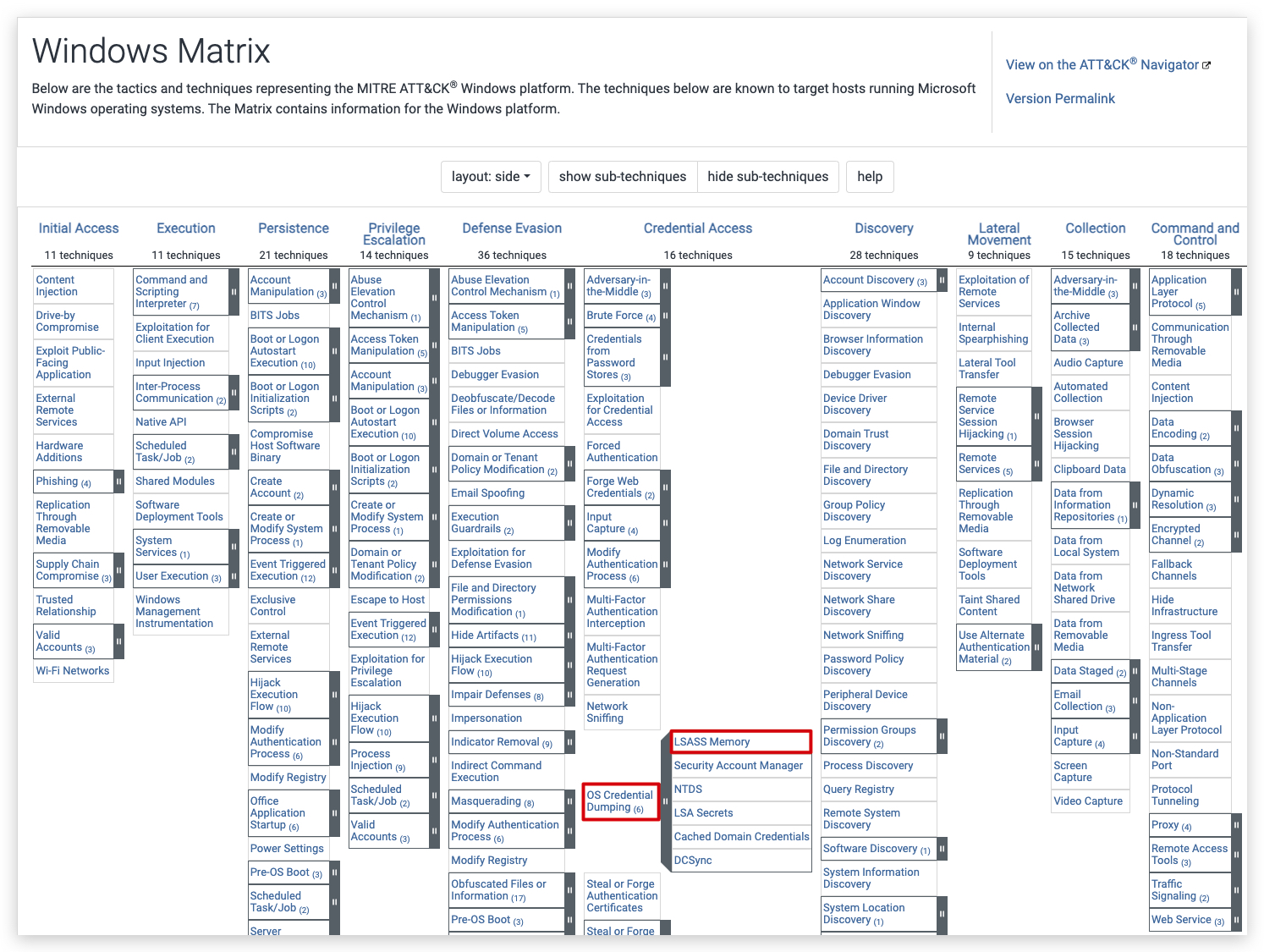
Here's a list of detections and IOC's (behavioral) that can be used to identify the activity from tools like SharpKatz, Mimikatz, Dumpert, etc.
1.2 Detection Engineering Process
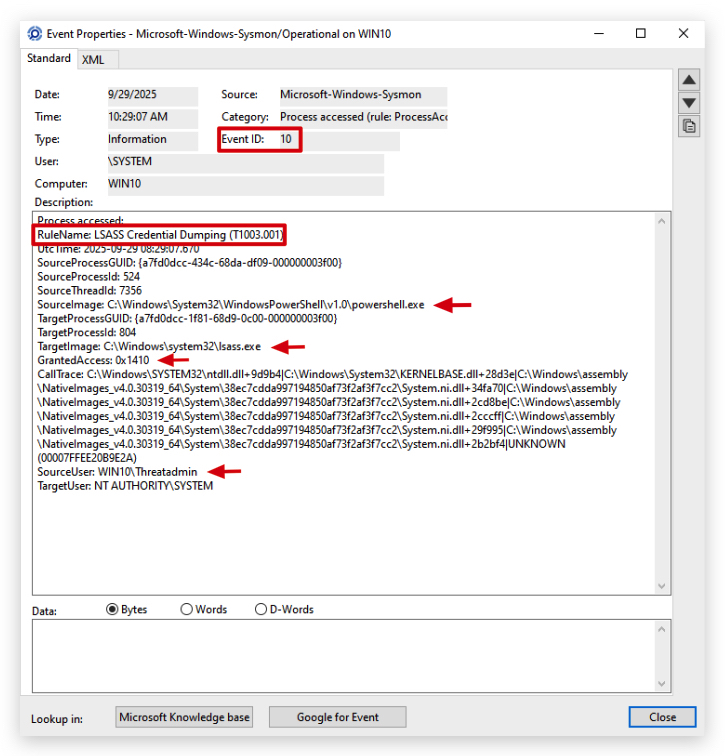
Let's have a look at what happens when we run SharpKatz.exe on our lab machine. We can use Sysmon to monitor the activity, specifically process access (event ID 10) and file creation (event ID 11).
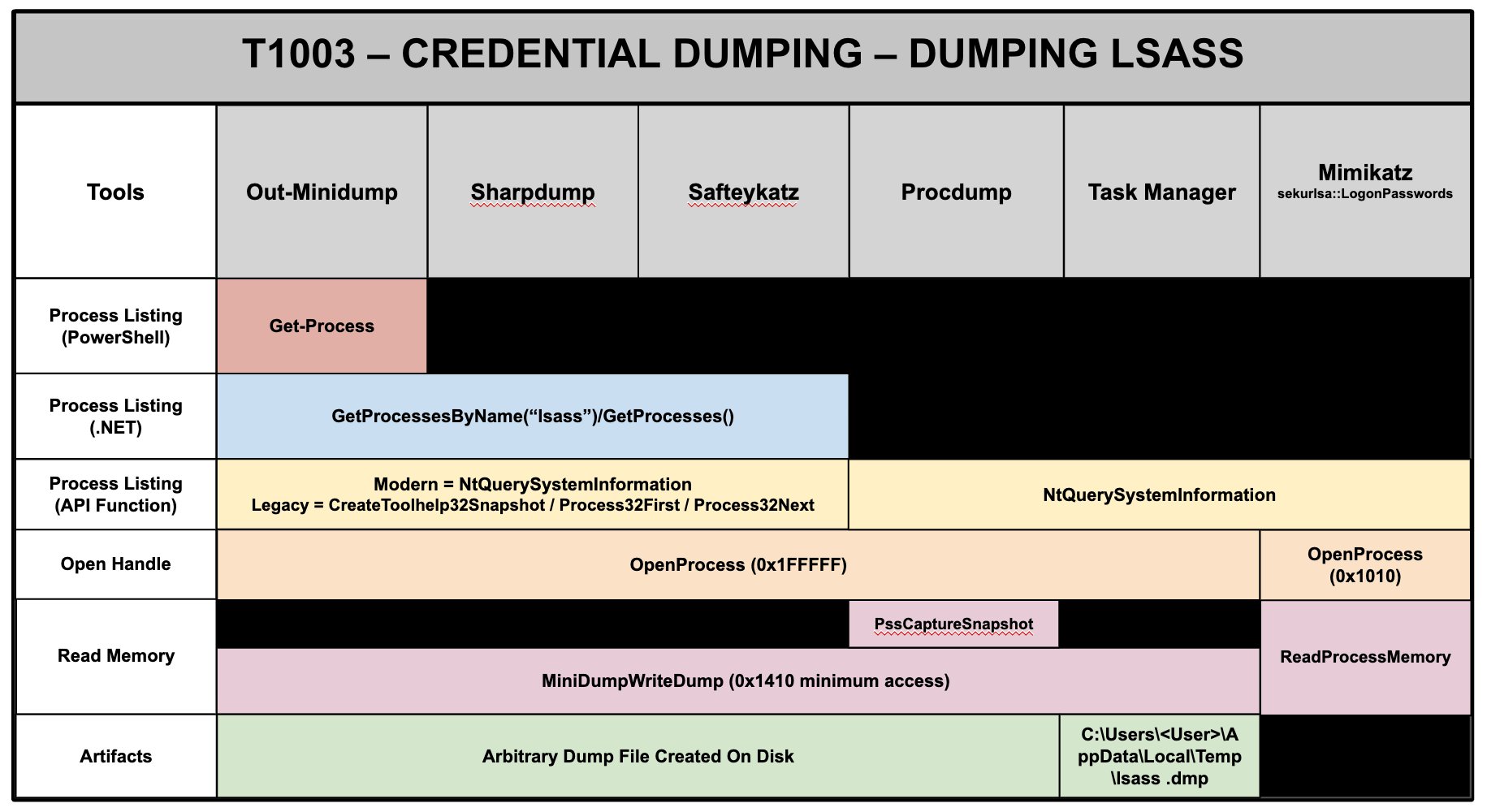 Methodology by SpecterOps
1.3 SYSMON Process Access (Event ID 10)
When tools like SharpKatz or Mimikatz are executed, they often need to access the memory of other processes to extract sensitive information such as credentials. This is typically done using the OpenProcess API call, which can be monitored by Sysmon.
https://learn.microsoft.com/en-us/windows/win32/procthread/process-security-and-access-rights
- PROCESS_VM_READ (0x0010)
- PROCESS_QUERY_INFORMATION (0x0400)
- PROCESS_QUERY_LIMITED_INFORMATION (0x1000)
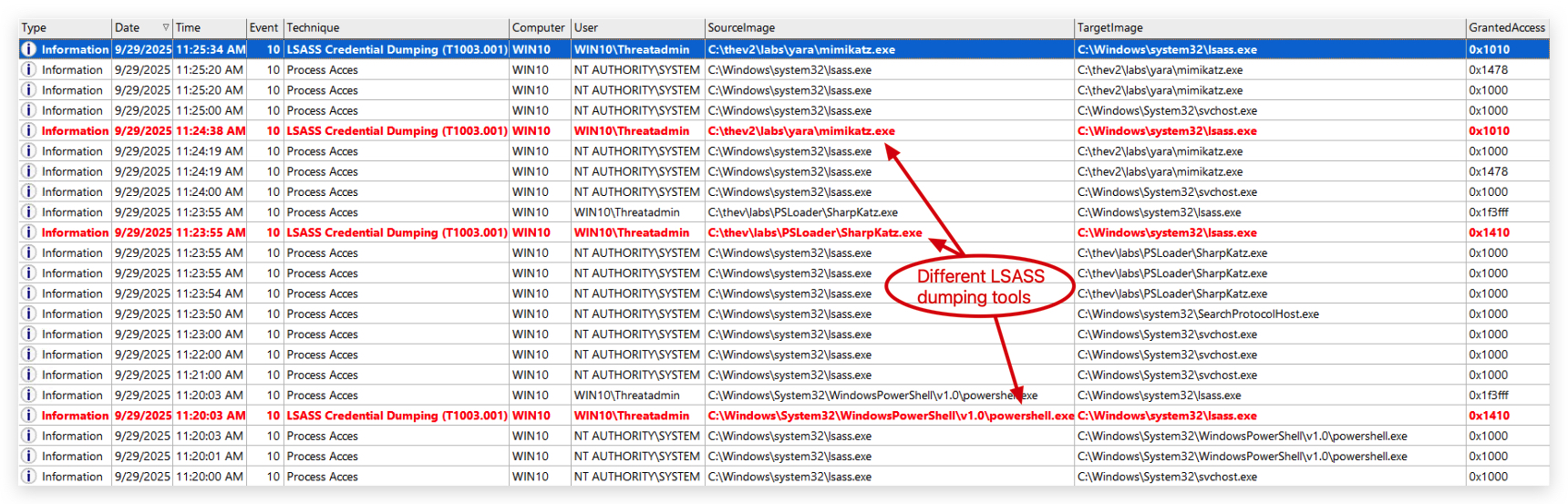
Mimikatz uses 0x0010 | 0x1000 = 0x1010 (VM_READ + QUERY_LIMITED_INFORMATION)
SharkpKatz uses 0x400 | 0x0010 | 0x1000 = 0x1410 (QUERY_INFORMATION + VM_READ + QUERY_LIMITED_INFORMATION) -which is more access than needed
SharpDump and Dumpert use even more access: 0x1FFFFF (ALL ACCESS)
ProcDump uses 0x1FFFFF (ALL ACCESS)
comsvcs.dll uses 0x1FFFFF (ALL ACCESS) and 0x1410 (QUERY_INFORMATION + VM_READ + QUERY_LIMITED_INFORMATION) - depends if you run as admin or system.
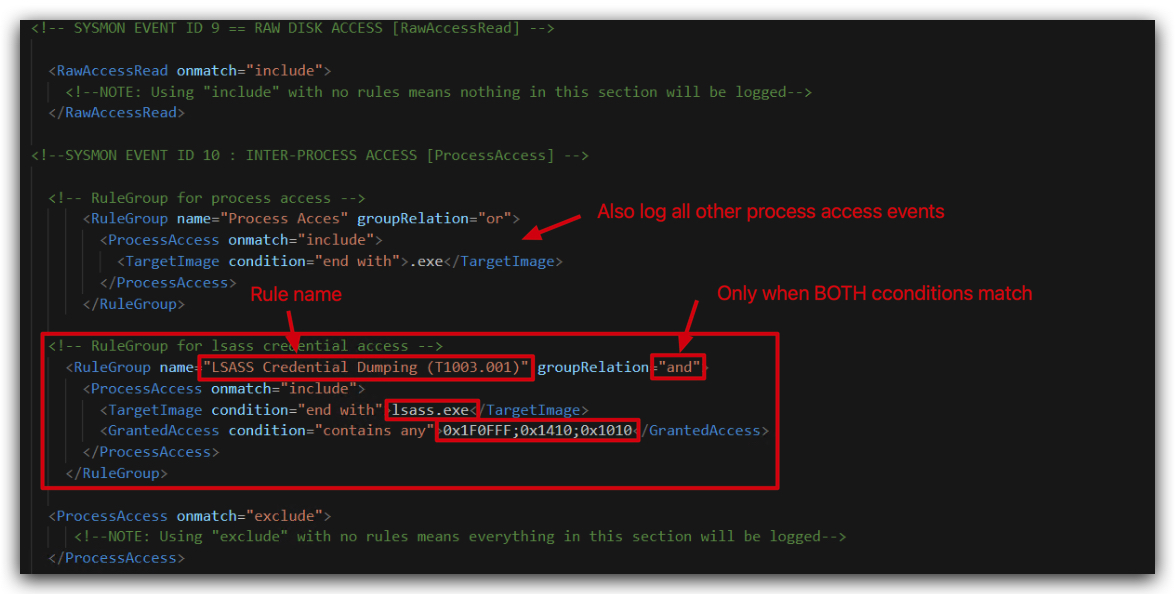
NOTE: This detection is already added to your sysmon config file.
- On your Windows machine, open ELEX (Event Log Explorer) and
open the workspacecalled "WORKSPACE_Sysmon10.ELX" located in the folder"c:\THEV\Labs\PSLoader\"
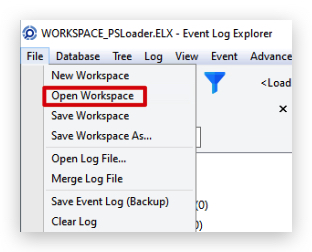
You can see the filter is already pre-configured for you to look for the sysmon rule with event ID 10 (Process Access) and the text in the description "LSASS Credential Dumping".
1.4 SYSMON File Creation (Event ID 11)
Tools like dumpert, sharpdump or even the native comsvcs.exe can be used to dump the memory of lsass.exe to a `file. This file can then be exfiltrated to extract credentials offline using mimikatz or pypykatz.
Below is an example of using native Windows comsvcs.dll to dump the memory of lsass.exe to a file called dump.bin located in c:\temp\.
https://lolbas-project.github.io/lolbas/Libraries/comsvcs/
NOTE: You need SeDebugPrivilege to be able to dump lsass.exe memory! You can simply get this using PSExec as SYSTEM. Make sure to use the PID of your lsass.exe process (you can find this in System Informer).
psexec -s -i cmd.exe
C:\Windows\system32\rundll32.exe C:\Windows\System32\comsvcs.dll MiniDump 804 c:\temp\dump.bin full
Or using the function #24 (minidump) directly:
C:\Windows\system32\rundll32.exe C:\Windows\System32\comsvcs.dll,#24 804 c:\temp\dump.bin full
We're not going to write a full detection for this activity, but you can monitor file creation events (event ID 11) using Sysmon and look for suspicious file names like dump.bin or files created in unusual locations.