Compilation
A note on compiling - a few tricks!
Compiling add a lot of information to the PE file that we don't necessarily need nor want.
- Yara rules for detection assembly code patterns (i.e XOR routines) will not work on
statically analyzingthe binary as there is no compile assembly code in a .net binary Dynamic (in memory) analysiswill also look different as the code is complied JIT and it will look different than a C binary.- DEBUG Constant:
Uncheckedin the Release configuration by default, debug-specific code will beexcludedduring compilation. - TRACE Constant: Allows runtime tracing even in the Release configuration. This is useful for monitoring without the overhead of full debugging.
Turn this off, we don't need/want this. - ALLOW UNSAFE CODE: Allows advanced low-level operations. This should be used cautiously, as it bypasses some safety checks and can lead to memory corruption if not handled properly. Enabling unsafe code suggests the project may involve low-level operations (more common in C++ or mixed C#/C++ projects), it allows the use of pointers and direct memory manipulation, which is marked with the unsafe keyword.
- OPTIMIZE CODE : When checked, the compiler applies optimizations to improve the performance of the generated code (e.g., inlining functions, removing unused code).
We don't want this, especially not when we add junk code, or unused arrays for evasion/obfuscation reasons.
In Visual Studio 2019 : Go to Project Properties > Build > Advanced (for .NET Framework). Set Debug Information to None (instead of Full or Portable).
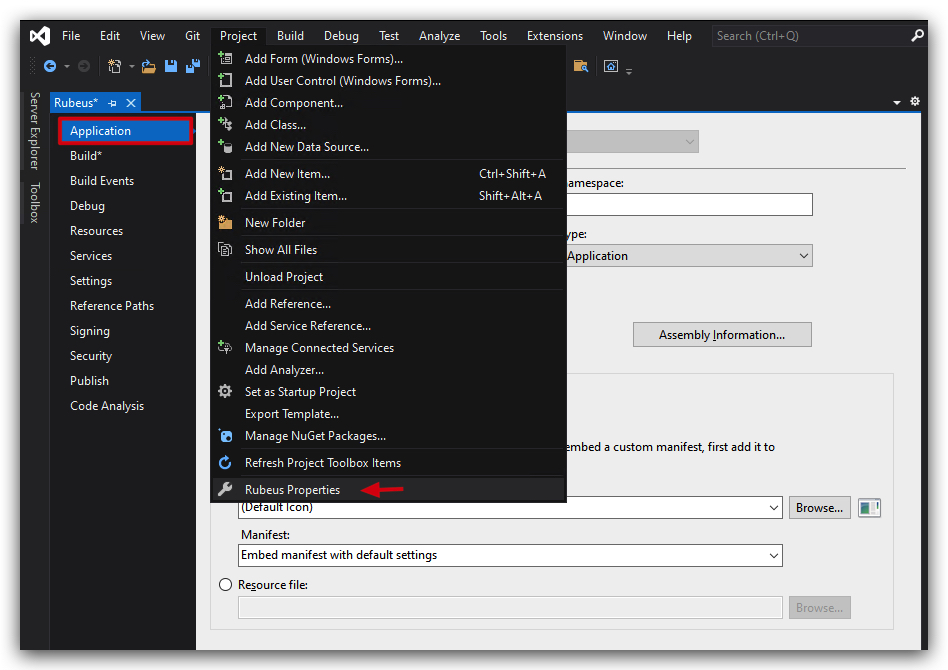
DEFAULT SETTINGS:
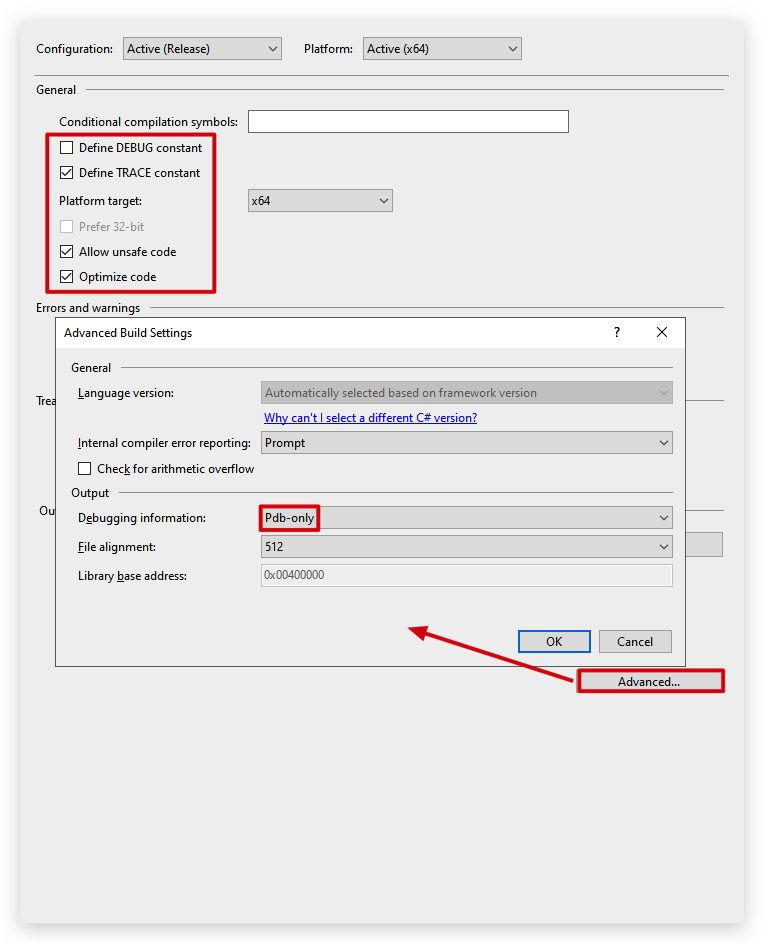
WHAT WE WANT:
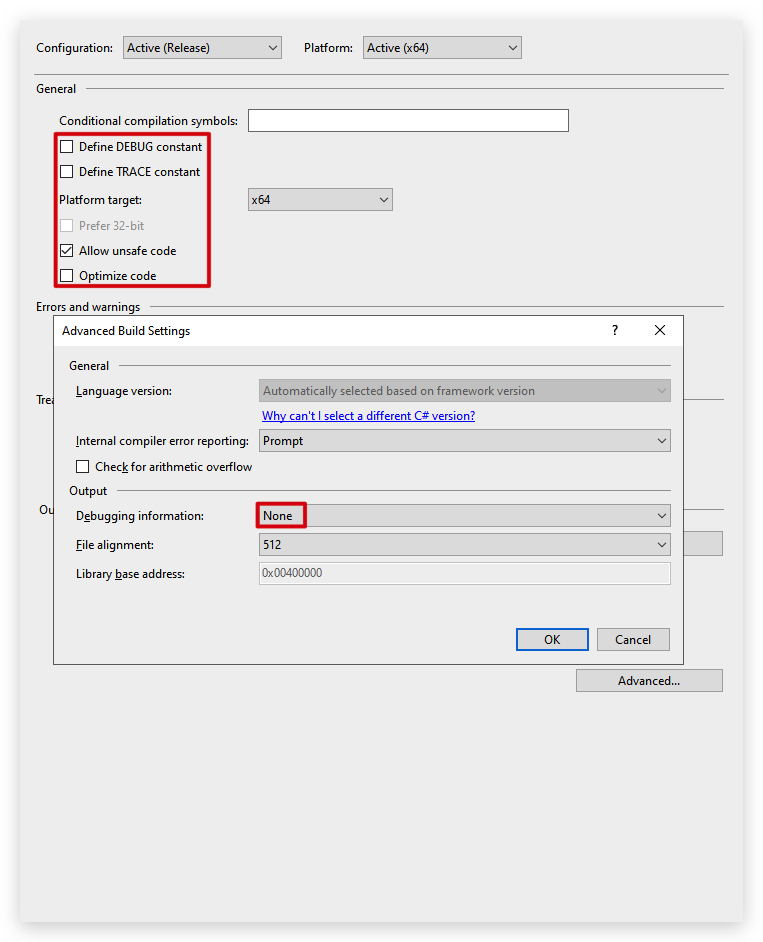
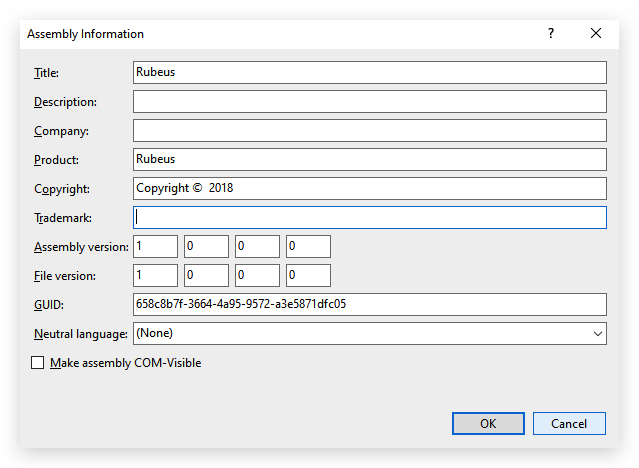
- Metadata : When using and modifying open-source .net tooling - don't forget to change the assembly information. Below is a screenshot of Rubeus`s assembly information, the GUID can easily be fingerprinted by a Yara rule for example, also the name "rubeus" is a dead give away.
- GUID (Assembly Info)
- Target Framework v4.7.2 or below (No AMSI integration)
- Icon file (will be embedded in the resource section) - strip an icon from another program (i.e. OneDrive)
- Code signing : In the last last we'll see how we can strip a code-signing certificate of a validly signed binary and apply it to our shellcode loader - binaries with a code-signing certificate are quite often less inspected by AV/EDR...
- compilation timestamp
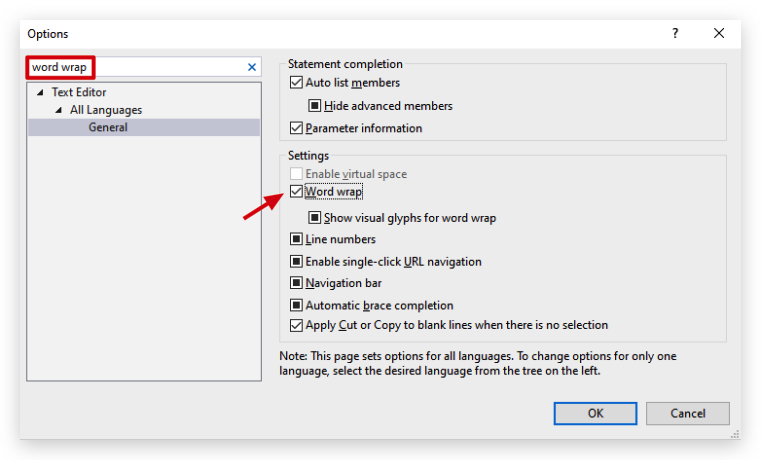
WORD WRAP
When working with large arrays (i.e. shellcode byte arrays), Visual Studio doesn't automatically enable word wrap, making it difficult to read and edit the code. To enable word wrap, go to the "Edit" menu, select "Advanced," and then check "Word Wrap."