Static Analysis
TL;DR In this chapter we'll have a look at basic signature based AV evasion techniques. We'll use
strings.exeandyarato explain the basic principles of pattern matching and modify existing malicious tools to bypass signature based detections. We'll also use a few other tools that do static analysis such as HxD, PEStudio and GoCheck... For .NET binariesDNSpyandDotPeekare very useful.
Static Analysis vs. Dynamic Analysis Performing
static analysisfirst is typically a better approach as it will allow us to ask better questions when we actually go and execute the code in a sandbox or virtual environmentDynamic Analysis.
1. PE Format Analysis
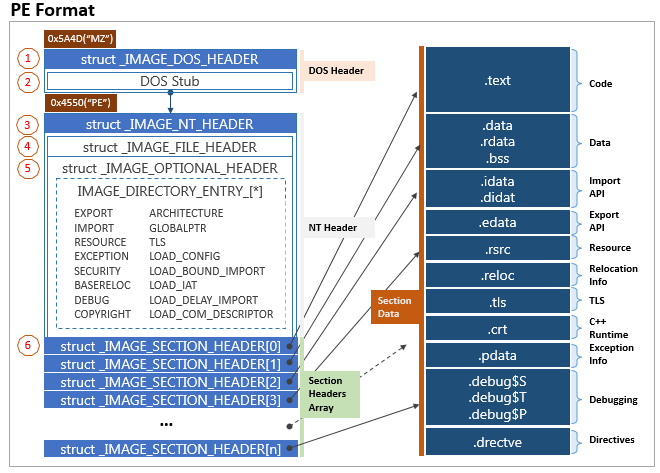
1.1 PE Format (Unmanaged code i.e. C, C++, etc)
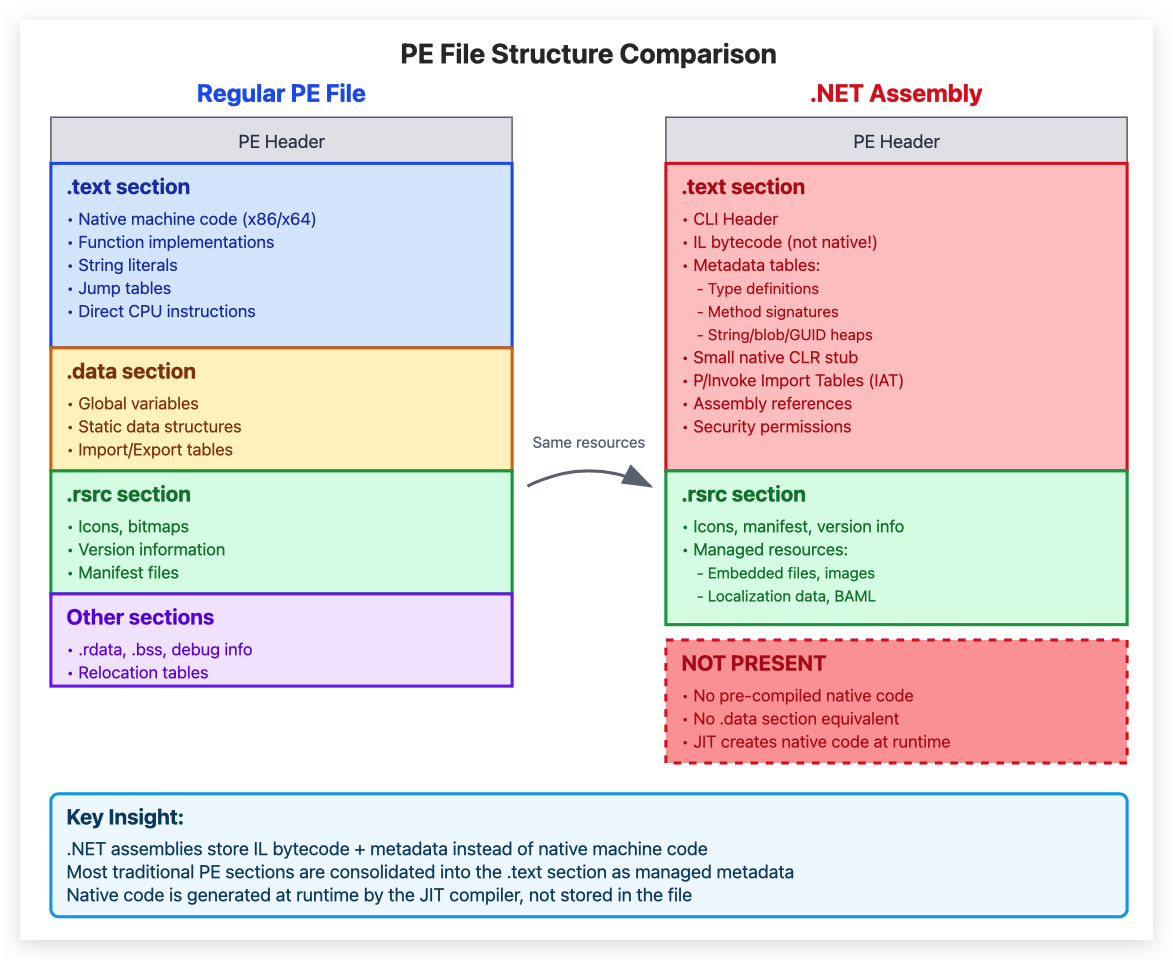
1.2 PE Format (.NET code and where it's different)
- OFFSET : location of the byte value in a program
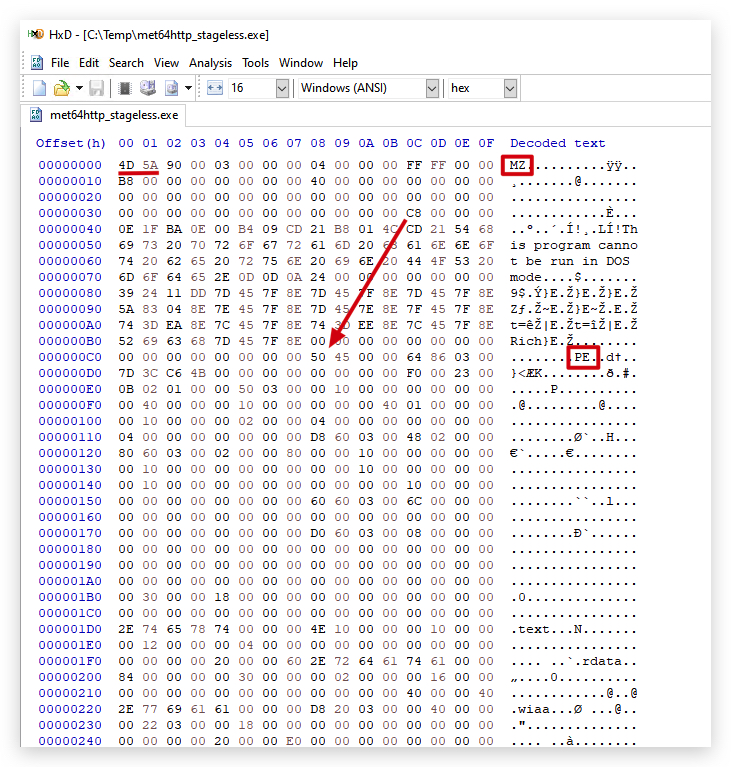
1.3 Hex Editor Analysis (HxD)
- MZ Header: DOS header signature indicating a valid PE file
- "This program cannot run in DOS mode": Standard DOS stub message
- Null bytes (0x00): Padding and alignment in the binary structure
.textSection: Contains the actual executable code.rsrcSection: Holds information on the .NET Assembly Information, manifest (needed for the CLR to load the assembly), and icons- ImageBase: Virtual memory address where the image gets loaded
- AddressOfEntryPoint: Relative virtual address (RVA) of the entry point function
- ImageBase + AddressOfEntryPoint: Absolute virtual address of the program's entry point in memory (used by debuggers like IDA/x64dbg)
2. String Analysis
2.1 What are Strings?
- Human-readable text sequences in binary files (e.g., executables, memory dumps).
- May include URLs, IPs, commands, or error messages.
2.2 Forensic Uses
- Malware Analysis: Identify behavior, networks, or obfuscated text.
- Evidence Extraction: Recover passwords, filenames, or memory fragments.
- Correlations: Match artifacts across files/systems.
- Reverse Engineering: Understand program logic or libraries used.
2.3 Tools
- Basic:
strings64.execommand (extract ASCII/Unicode strings from binaries) - Part of Sysinternals Suite - Medium:
flossby Mandiant - Advanced: Volatility, IDA Pro, Ghidra for deeper analysis.
2.4 Challenges
- False Positives: Some strings are irrelevant.
- Obfuscation: Text may be encrypted or encoded by attackers.
2.5 Mining Strings
As useful as looking for strings is (stored in various sections like
.data,.rdata, or.textof a PE file), if you don't have a lot of experience in malware analysis, this can become very tedious - you need to know what you're looking for and there can literally be 10,000s of strings in a PE file. Also, malware authors often obfuscate strings, making it even harder to analyze. We'll later use CAPA, which allows you to quickly identify a PE file's capabilities.
For now, let's see what we can learn by simply running strings on our "SharpKatz.exe" file.
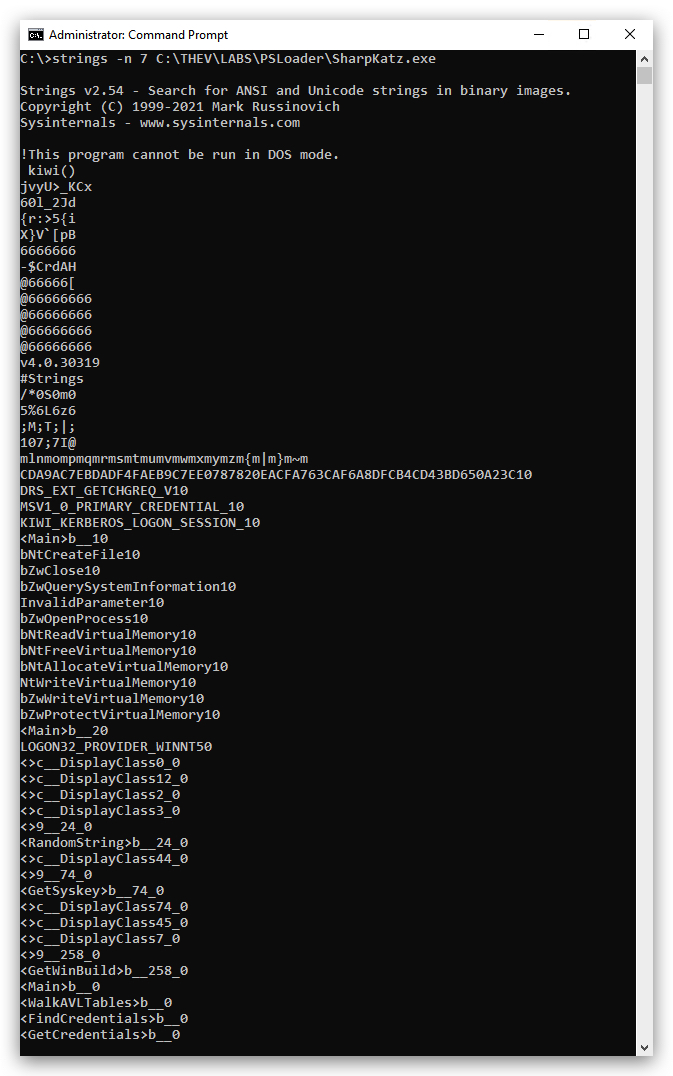
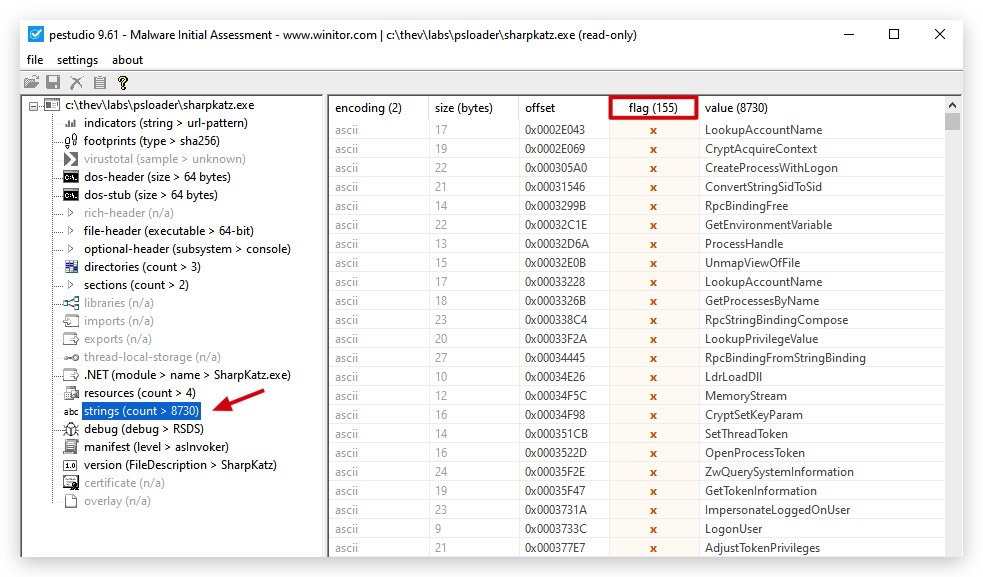
In PEStudio we can also check this, and PEStudio is so nice to flag suspicious strings for us.
Now remember, .NET files are kind of like clear-text code - so they can be easier to investigate. Let's generate a MSFVenom meterpreter payload (c code) - and see what that gives us.
3. Summary
Static analysis provides valuable insights into binary files without execution, helping identify potential threats through string analysis, PE format examination, and signature matching. Tools like HxD, PEStudio, DNSpy, and command-line utilities like strings64.exe are essential for malware analysis and reverse engineering tasks.